Latest Posts

How I Manage 45 AI Agents Across 3 Machines
Right now, I have forty-five agents working across three machines: my laptop, a mini PC in my office, and a server in InMotion Cloud. I call it my agent fleet. In a few hours, that fleet produces what would take me a week or two to write myself. Getting it to do the work is not the hard part anymore. Seeing what it’s doing is.
We all know how to run an agent and work with it. Many of us know how to do the same with a few agents running in parallel. But what happens when there are dozens of them, spread across multiple machines? How do we manage a fleet like that?
Because that’s what I am these days. A manager. And a good manager’s work comes down to three things: delegating work, resolving conflicts, and removing obstacles so the team can keep going. To do that well, a manager needs a team that can work on its own most of the time, and a way to see what that team is doing when it can’t.
With AI, that team is made of agents. They’re already very good at almost everything, and if I did my part, they know how I like to work, what the rules are, and what they should and shouldn’t do. That’s what AGENTS.md and skills are for. I’ll assume those are in place, since that’s a whole different topic.
What I want to show you is how that team grows. From a single agent I have to babysit, to teams of agents spread across machines I don’t even need to be near. And what happens to the manager along the way, because the agents scale much better than I do. The beginning is often the best place to start, so let’s go back a year or two.
It would be close to impossible to reproduce the exact steps from this post. They depend on my machines, my repositories, my issues and my agent setup. Instead, try something similar with Agent Deck: start with one agent, add a dispatcher, and grow from there onto additional machines.

How I Run AI Agents in the Cloud Without Leaving Claude Code (with Aether)
I run AI agents on a machine that does nothing else. Not my laptop. A dedicated box, sitting in the corner, whose entire job is to run agents while I get on with something else. It’s a good setup, and it’s cheap. I paid for that box once. Renting something equivalent by the month would have cost more than the box did within a few months, and then it would have kept on costing.
It also has a ceiling. Not a ceiling on how many agents I can have open, though. The number that matters is how many of them are compiling, running tests, or otherwise doing real work at the same moment. Once that gets to five or six, they start fighting each other for CPU, memory, and disk, and everything grinds. Or it breaks completely.
So what do we do when we want to run more agents than the laptop or the server they’re on can handle?
The obvious answer is to buy a bigger machine. I don’t want to buy a bigger machine. I hit that ceiling maybe twice a week. Most days four or five of them are actually building anything at once, and buying hardware that sits idle six days out of seven to cover the seventh is exactly the mistake we spent a decade learning not to make with servers.
The other answer is the one we landed on with servers: keep the steady state on hardware you own, and rent the overflow when you need it. That works for agents too. What’s much less obvious is how you keep control of the rented ones, because the moment your agents are somewhere else, most tools want you to go and look at them somewhere else too. In a browser. In their dashboard. Not in the agent you actually use.
And I’m not switching. I use Claude Code. I use OpenCode. I’ve put real time into getting good at both, into the prompts, the skills, the muscle memory. If you want me to drop all of that and work inside your web interface instead, it had better be bloody spectacular. Not adequate. Not a reasonable alternative. Better than what I already have, or I’m not moving. A dashboard with a list of tasks on it is not a reason to abandon the tool I live in all day. It’s a reason to close the tab.
That’s what I wanted to find out. Whether I can borrow somebody else’s machines without giving up the thing I actually work in. The answer turned out to be mostly yes, and the “mostly” is the interesting part.

AI Pentesting Found Real Kubernetes Exploits in 3 Hours for $2
A few hours of an agent’s work, and a few minutes of mine. That’s all it took to find a way into my own Kubernetes cluster. Not a maybe buried in a PDF. A real one, proven, with my session token stolen and my cluster’s secrets read back out to an attacker. A human doing the same thing would have taken weeks, if I could even get one booked.
And if you’re a developer, in DevOps or SRE, or anyone who ships software and has already decided security testing isn’t your job, don’t go anywhere. This one’s for you. It’s a way to offload the work you don’t want to do, or never get around to, and still get findings back in a shape you can act on.
Here’s the situation most of us are actually in. AI writes half our code now. Sometimes all of it. We ship faster than we ever have. And penetration testing, the thing that’s supposed to catch the holes before someone else does, hasn’t kept up. It’s scarce, it’s expensive, and it happens once a year, if it happens at all. By the time the report lands, you’ve shipped a dozen more releases, the version it actually tested isn’t even running anymore, and half the findings are too late to fix cleanly. And what you get is usually a list of problems, not solutions. It’s no wonder pentesters aren’t most developers’ favorite people to hear from.
So this video is about what changes when that pentester is an AI. I’m going to point one at an app I actually own, let it genuinely break in, and see what that’s worth.

Heroku Is Dead (And It Taught Us Everything We Know)
Gather round. Get comfortable, kids. Tonight, I’m going to read you a bedtime story.
This is the story of Heroku. The best place to run software that anybody ever built, and one of the least important things its owner has ever owned.
Your company has a platform team. Maybe you’re on it. They’re building an internal developer platform. It has a name with “launch” or “forge” or “runway” in it, a portal, a golden path, and a YAML file you fill in to get a database. It has been in progress for about two years.
Hold onto that. Because everything on that roadmap already shipped. Finished, priced and documented, in 2011. And the thing that shipped it is still running tonight — you can sign up in under a minute.
Your platform team is going to build it anyway.
Some of you deployed to it every day. Some of you have never heard the name.
Those two facts are the same story.

Kubernetes GPU Autoscaling: Why Scale to Zero Costs You 10 Minutes Per Request
The same question, to the same model, on the same cluster. Four seconds one time, and over ten minutes the next, with nothing broken in between and nobody having touched a line of configuration.
That is the price of turning a GPU off when nobody is using it, and turning it off is the only way to stop paying for it, because the cloud charges you for the machine whether or not anything is running on it. The same ten minutes governs the other direction too. A second replica has to be asked for long before the traffic that needs it arrives, because it will not turn up in time to serve it.
So this is that trade, measured rather than argued. What scale to zero actually saves, what those ten minutes are made of, which parts of them you can attack, and when you have to ask for more.
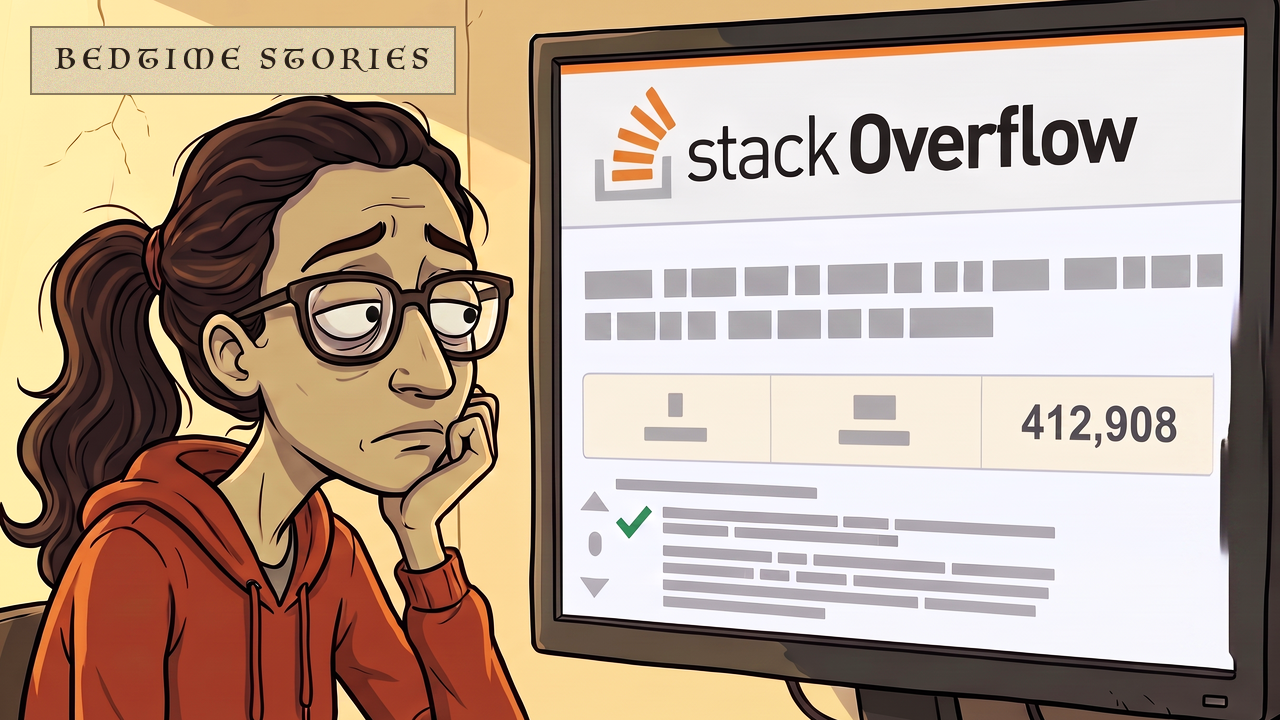
Stack Overflow Is Dying and ChatGPT Killed It
Gather round. Get comfortable, kids. Tonight, I’m going to read you a bedtime story.
This is the story of Stack Overflow. The machine that taught a generation of programmers how to copy and paste.
And you know Stack Overflow. Unless you started programming very recently, you have found the answer to a problem on Stack Overflow, copied the solution into your code, and accepted the praise when everything worked. That’s all right. I won’t tell anyone.
For a generation, Stack Overflow was the most important tool developers pretended they were not using. Now it is fading, and nobody knows whether it will reinvent itself or become a footnote in the history of the industry it helped build.
So tonight, I will tell you how Stack Overflow came into being, why it worked so well, what went wrong, and what it is trying to become next.

Why Your GPU Fails at 3 Users (LLM Inference Isn’t a Compute Problem)
I put a model on a GPU. It fit, with room to spare. It loaded, it answered instantly, and for about ten minutes I looked like a genius.
Then the third person asked it something, and the answers just stopped coming.
The third. Not the three hundredth. Nothing else changed. Same GPU, same model, same prompt. The only difference was how many people were talking to it at once. Does the model fit is the wrong question. It’s the check everybody runs before they deploy, and it tells you nothing at all about how many people you can serve.
And the size barely matters here. Whether you’re running something small enough to sit on one cheap card, or something so large it needs a rack of them, the arithmetic is the same shape, and the thing that runs out runs out for the same reason.
Now, I’ve said before that self-hosting your own models is a bad idea, and I still think that. But plenty of you are doing it anyway. Air-gapped environments. Data residency rules. Models you fine-tuned yourself. Those are real reasons. So if you’re going to do it, let’s do it properly.

Is Jenkins Dead? No, And That’s Much Worse
Gather round. Get comfortable, kids. Tonight, I’m going to read you a bedtime story.
This is the tale of Jenkins. The butler who never once said no.
Now, this is not one of those stories where the hero loses. Jenkins won. Jenkins won everything. For the better part of a decade, if you wrote software for a living, Jenkins stood between your keyboard and your customers, and it built your code, and it tested it, and it shipped it, every single night, without ever once being thanked.
And here’s the thing.
Almost nobody chooses Jenkins any more. Ask around your office and you will find people who would rip it out tomorrow morning. They can’t. Twenty-odd years after a young engineer at Sun Microsystems wrote the first version of it, it is still there, still running the thing that actually ships your product, and everybody has quietly agreed not to fucking touch it.
So tuck in. Because tonight’s nightmare isn’t that our hero dies at the end. It’s that he doesn’t. He is still running tonight. And you cannot switch him off.

LLM Inference Explained: 12 Concepts You Actually Need to Know
Continuous batching. Paged attention. Prefix caching. Speculative decoding. Prefill-decode disaggregation.
If you’ve been anywhere near a conversation about running your own models lately, you’ve heard every one of those. Probably in the same sentence. Probably from somebody saying them very quickly.
And there’s a decent chance you nodded.
So this is everything you wanted to know about inference but were afraid to ask.
We’re going through the whole machine in one pass. What an engine actually is, what it’s holding on that GPU, and every bit of jargon stacked on top of it. 12 ideas, give or take, a couple of minutes each.
One thing to listen for as we go. These ideas don’t all arrive at once. Some bite the moment you deploy anything at all. Some wait until fifty people are talking to it. Some you may genuinely never need.

AI Testing Is Lying to You (And You Can’t Tell)
There are three things that go into testing anything you build, and it doesn’t much matter what that is. An app, a cluster, a delivery pipeline, a pile of Terraform. You write them. You maintain them, because the thing underneath them keeps changing. And when the suite goes red on a Tuesday, you diagnose them, sorting the reds that mean something from the ones that are just flaky. Those are the worst kind, because a flaky red is how you learn to stop trusting reds at all. All three of those can be handed to an agent now.
That sounds like every other job being automated right now, and mostly it is. But this one has a property nothing else in your pipeline has.
When an agent writes your code badly, something catches it. That is what the tests are for. When an agent writes your tests badly, nothing catches it, because there is nothing underneath. A bad test doesn’t fail. It passes. And now you’re sure about something that isn’t true.
You call all of this testing. So does everybody, and it’s a fair mistake, because the word is baked into every part of the work. You write a test. You run the test suite. You measure test coverage. You call the whole practice test automation. The word comes free, so nobody stops to ask whether it fits. It doesn’t. And the part of this that you assume will always need a person is going the same way as the rest of it. I’ll come back to both of those. For now, keep thinking you’re testing.