How I Manage 45 AI Agents Across 3 Machines
Right now, I have forty-five agents working across three machines: my laptop, a mini PC in my office, and a server in InMotion Cloud. I call it my agent fleet. In a few hours, that fleet produces what would take me a week or two to write myself. Getting it to do the work is not the hard part anymore. Seeing what it’s doing is.
We all know how to run an agent and work with it. Many of us know how to do the same with a few agents running in parallel. But what happens when there are dozens of them, spread across multiple machines? How do we manage a fleet like that?
Because that’s what I am these days. A manager. And a good manager’s work comes down to three things: delegating work, resolving conflicts, and removing obstacles so the team can keep going. To do that well, a manager needs a team that can work on its own most of the time, and a way to see what that team is doing when it can’t.
With AI, that team is made of agents. They’re already very good at almost everything, and if I did my part, they know how I like to work, what the rules are, and what they should and shouldn’t do. That’s what AGENTS.md and skills are for. I’ll assume those are in place, since that’s a whole different topic.
What I want to show you is how that team grows. From a single agent I have to babysit, to teams of agents spread across machines I don’t even need to be near. And what happens to the manager along the way, because the agents scale much better than I do. The beginning is often the best place to start, so let’s go back a year or two.
It would be close to impossible to reproduce the exact steps from this post. They depend on my machines, my repositories, my issues and my agent setup. Instead, try something similar with Agent Deck: start with one agent, add a dispatcher, and grow from there onto additional machines.
Trusting a Single AI Agent
Back then, it was a team of one. One agent, and me watching every move it makes. It’s in manual mode, which means it can’t do much of anything without asking me first.
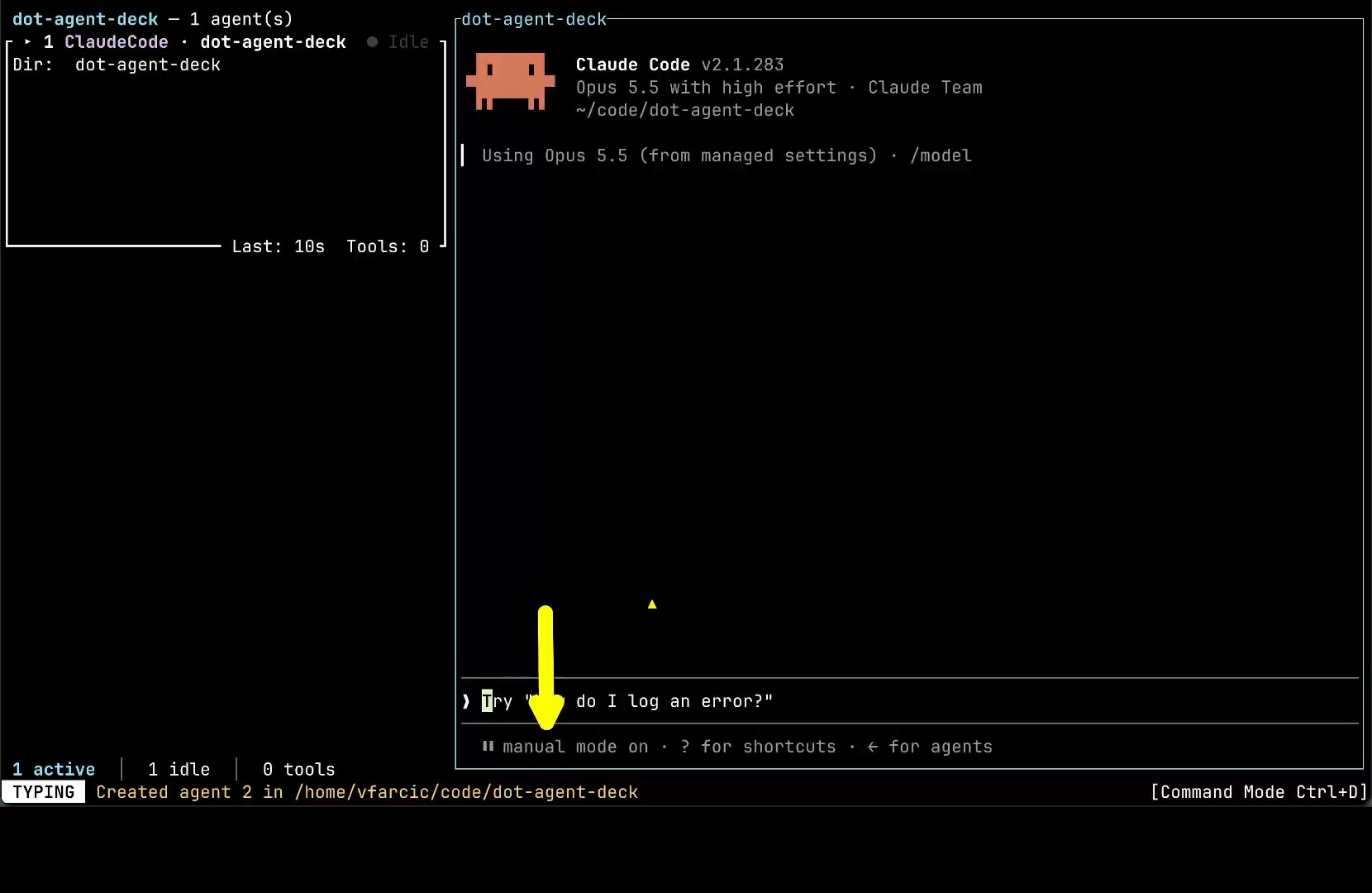
I tell it to fix an issue, and before it has even read that issue, it stops and asks whether it’s allowed to run gh issue view. That’s how it goes with a team member I don’t trust yet. I approve this, then the next thing, then the one after that. The work gets done, but all of my attention goes into babysitting a single agent, so the team can’t grow beyond one. There’s nobody left to manage the others.
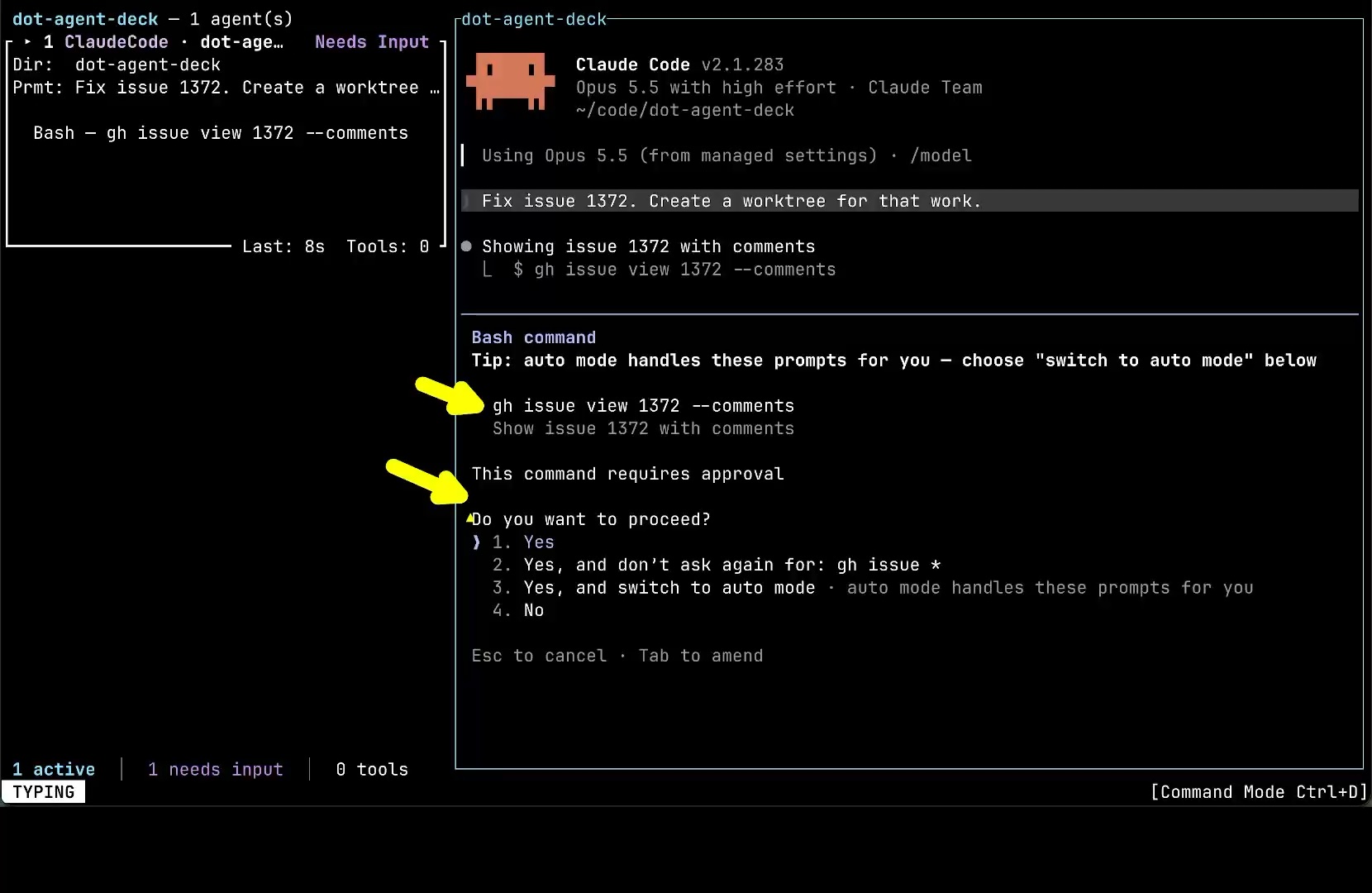
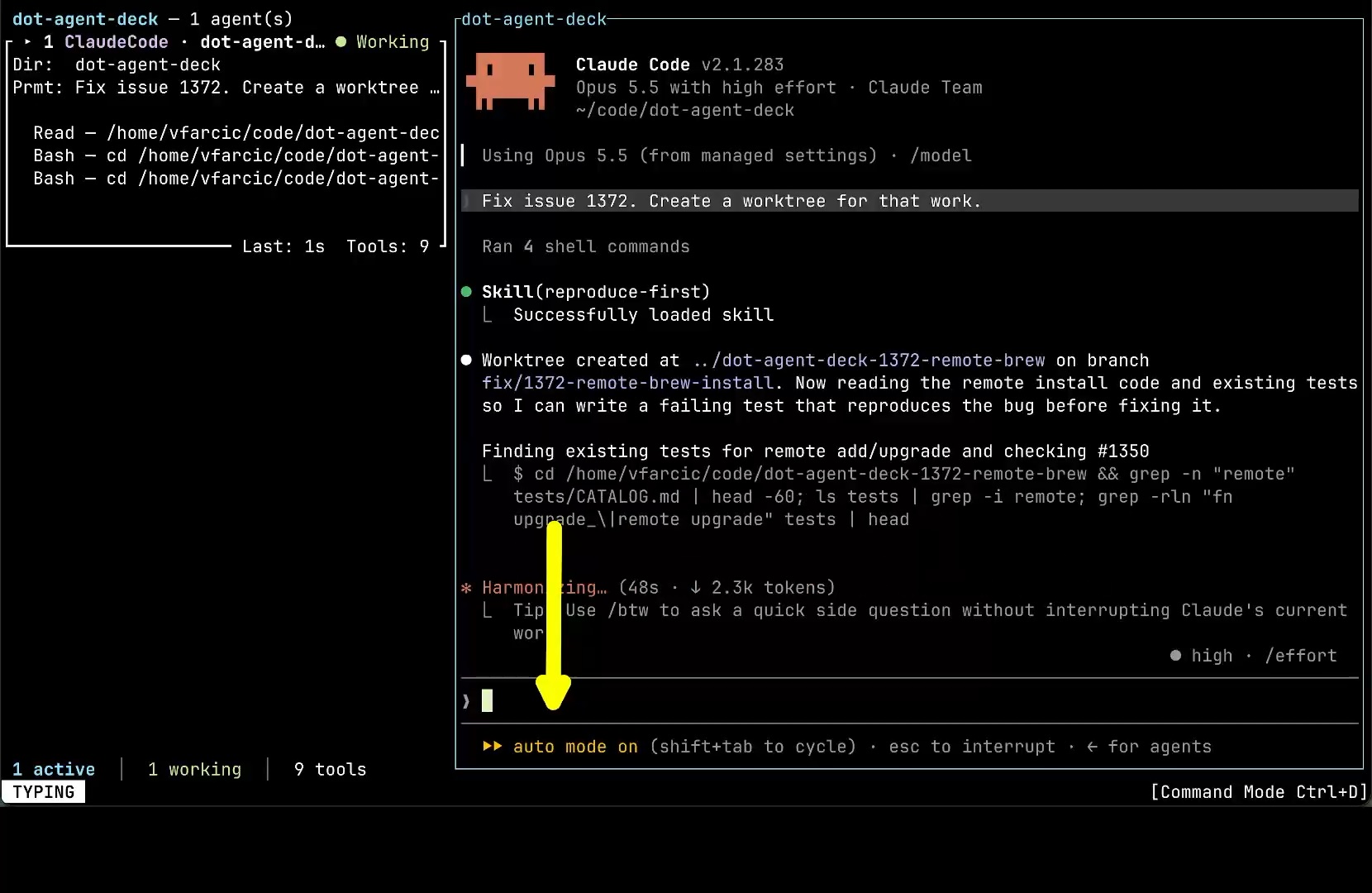
Trust changes that. At some point, my skills and the rest of the agent’s instructions became reliable enough that I noticed I was saying “yes” to almost everything it asked. Once approving turns into a reflex, it’s no longer oversight. It’s just me slowing the agent down. So I switch it to auto mode, and it stops asking about every command. It creates a worktree, loads the skill that tells it to reproduce a bug before fixing it, and carries on without me. That’s the moment a manager stops supervising and starts delegating.
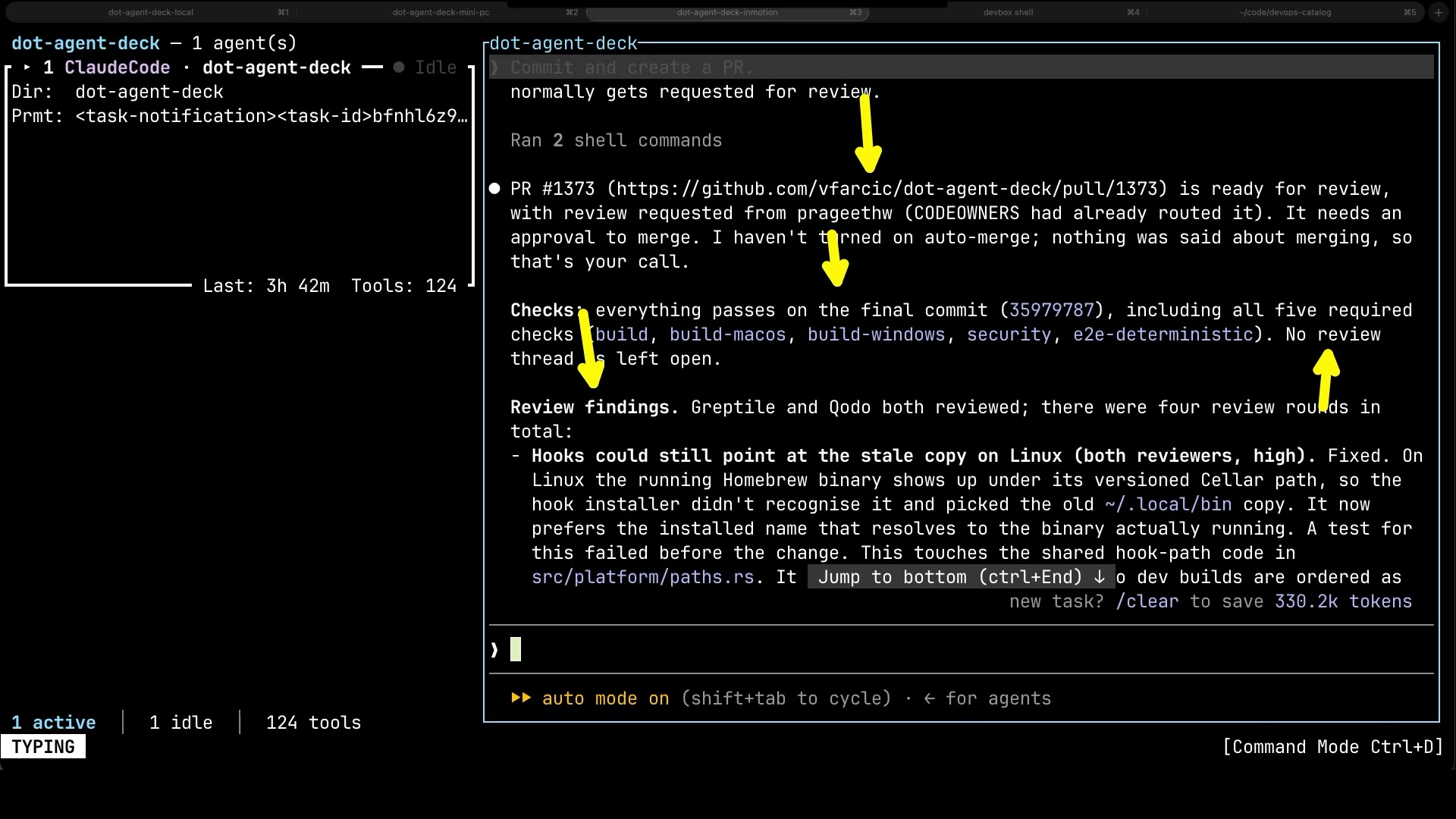
A few hours later, it’s done. The agent opened a pull request, and that kicked off everything I’d expect around a change made by anyone on a team. Workflows built and tested it on Linux, macOS and Windows, and ran the security checks. Two review bots, Greptile and Qodo, went through the code over four rounds, and every time they found something, the agent fixed it and pushed again. By the time it comes back to me, all the required checks are green and no review thread is left open. My job comes down to two things: delegate the work, and judge the outcome. If something is off, I tell it what to change. That’s the other half of trust. Good instructions make the agent reliable, and the pipeline catches whatever still slips through.
Dispatching Work to AI Agents
Once agents can work without me hovering over them, the size of the team is no longer limited by my attention. My job shifts to handing out work, and one agent in one terminal isn’t enough for that anymore. That’s where Agent Deck comes in, an open-source terminal app I built for running and managing many coding agents at once, whether that’s Claude Code, Codex, OpenCode, or others. In it, I start a dispatcher, an agent whose only job is to take work and delegate it to other agents.
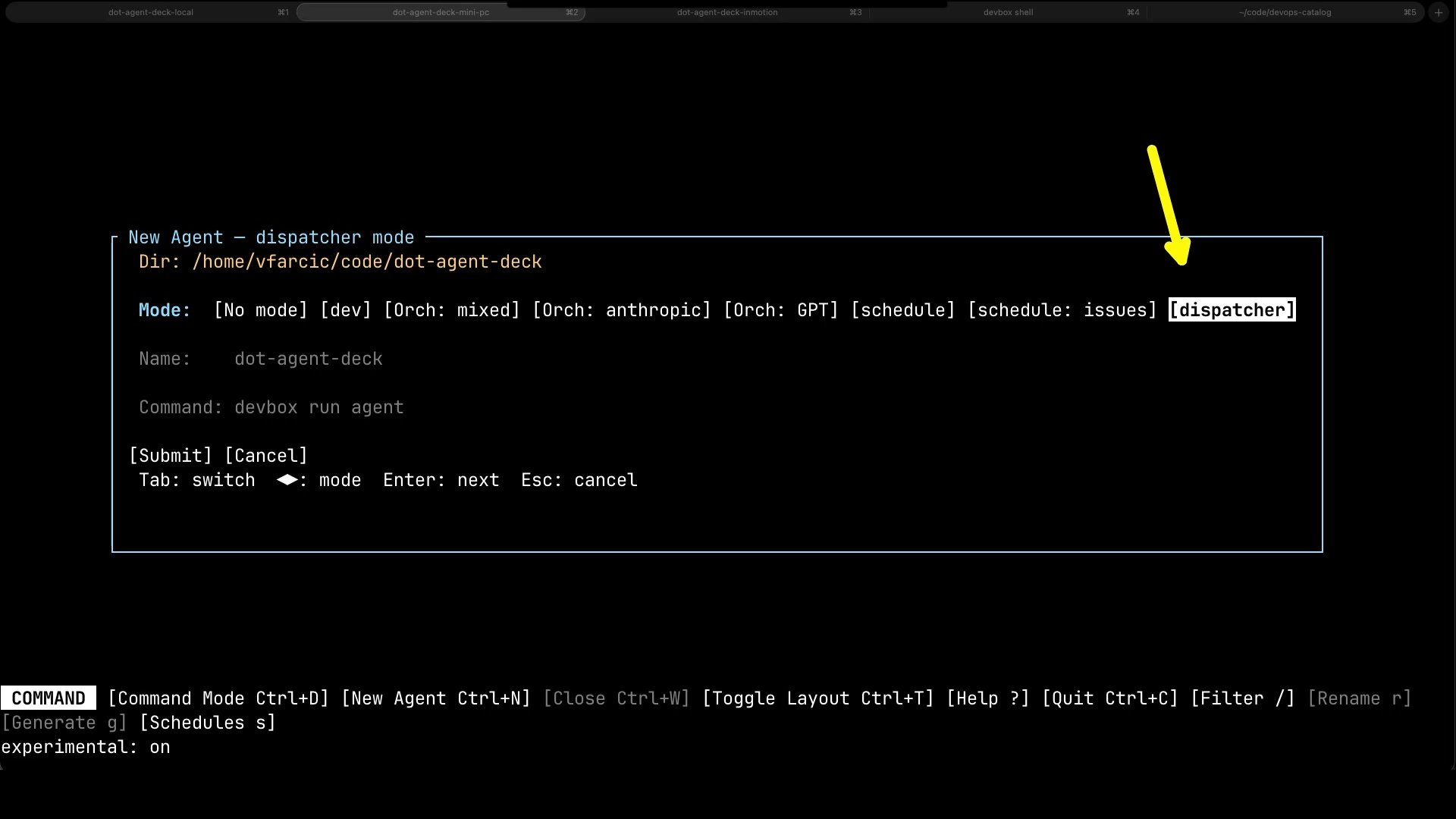
The simplest version is one issue per agent. I ask the dispatcher to pick two issues.
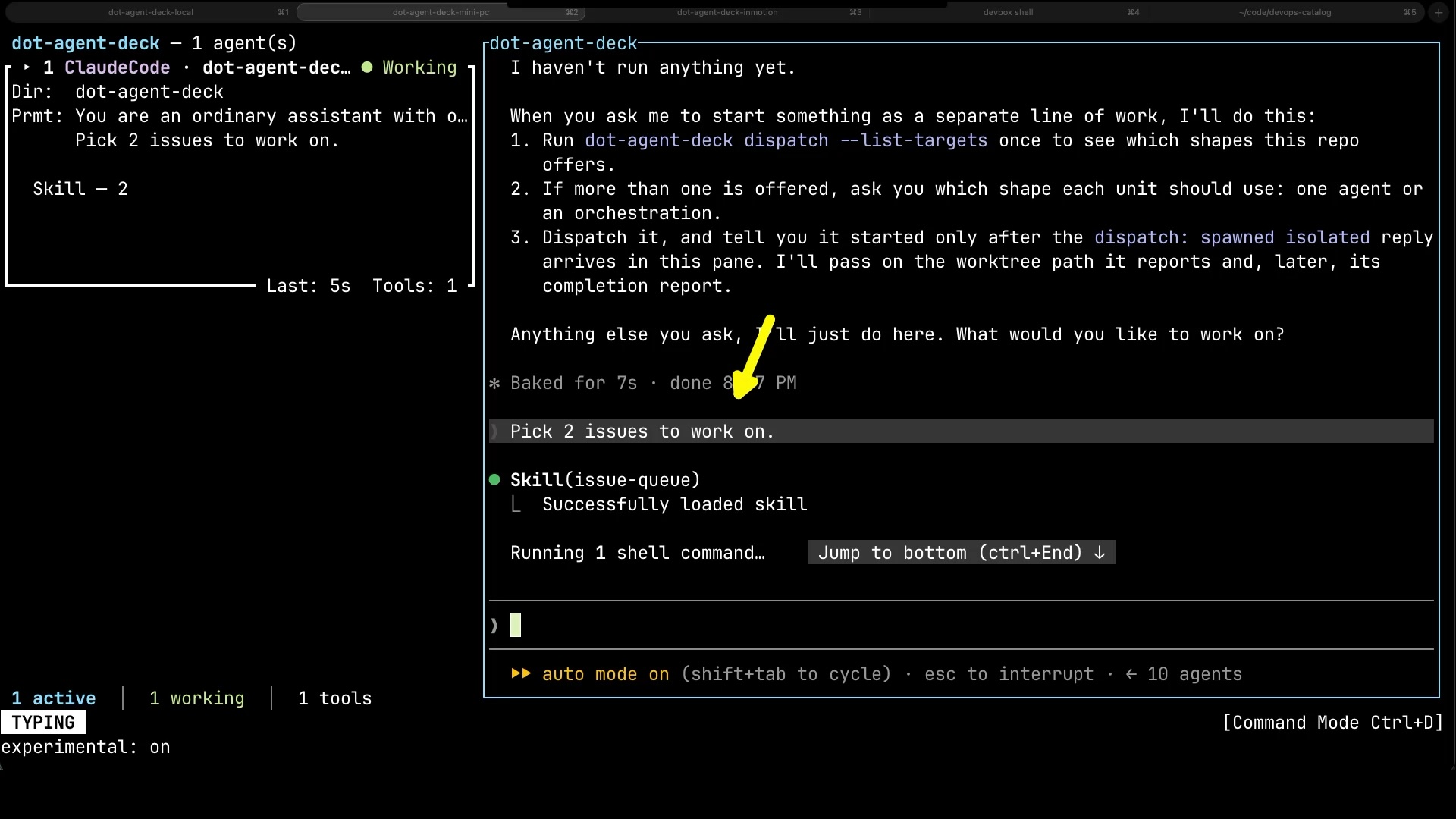
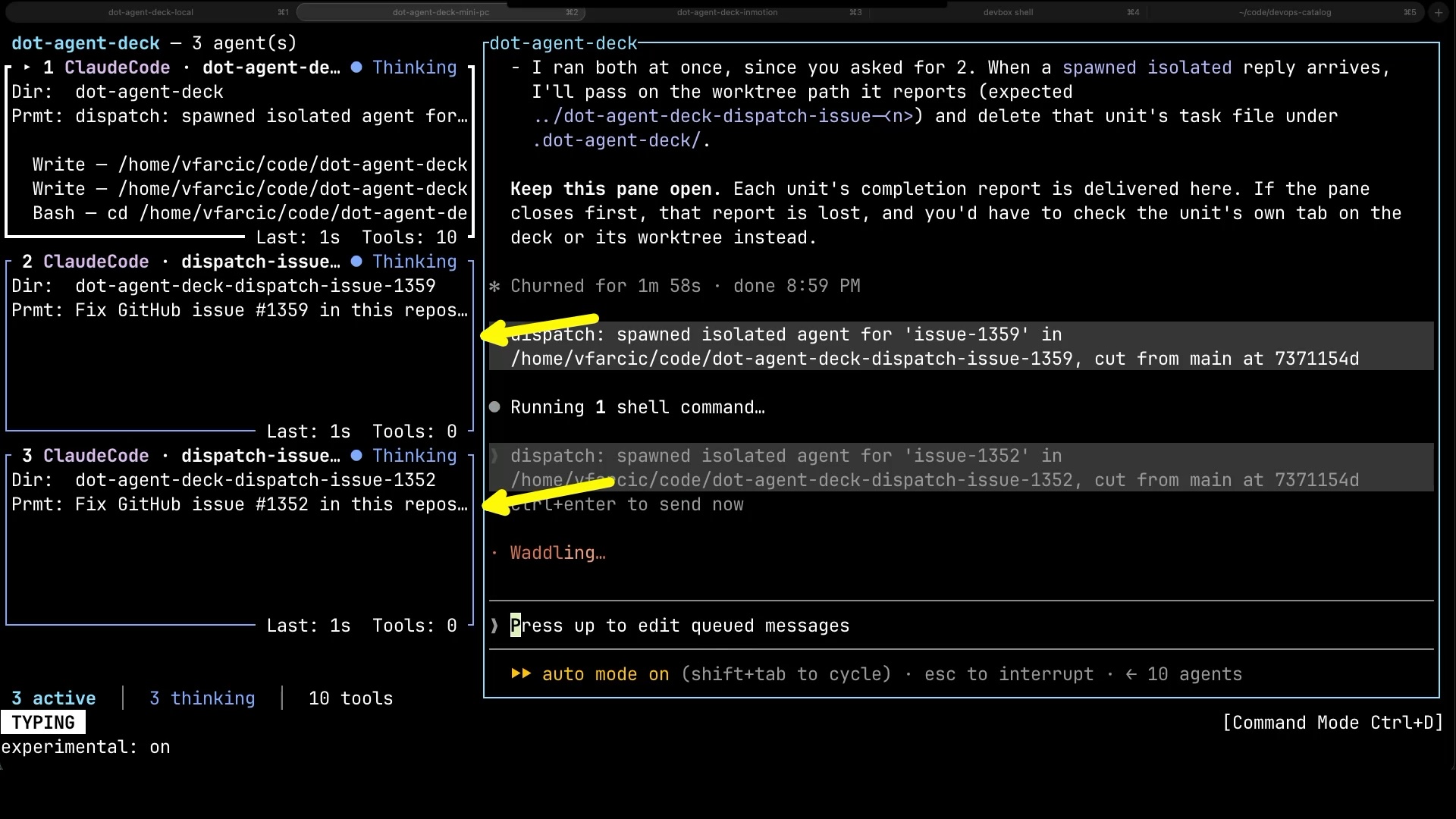
It spins up an agent for each of them, each in its own worktree cut from main, so they can’t step on each other’s toes.
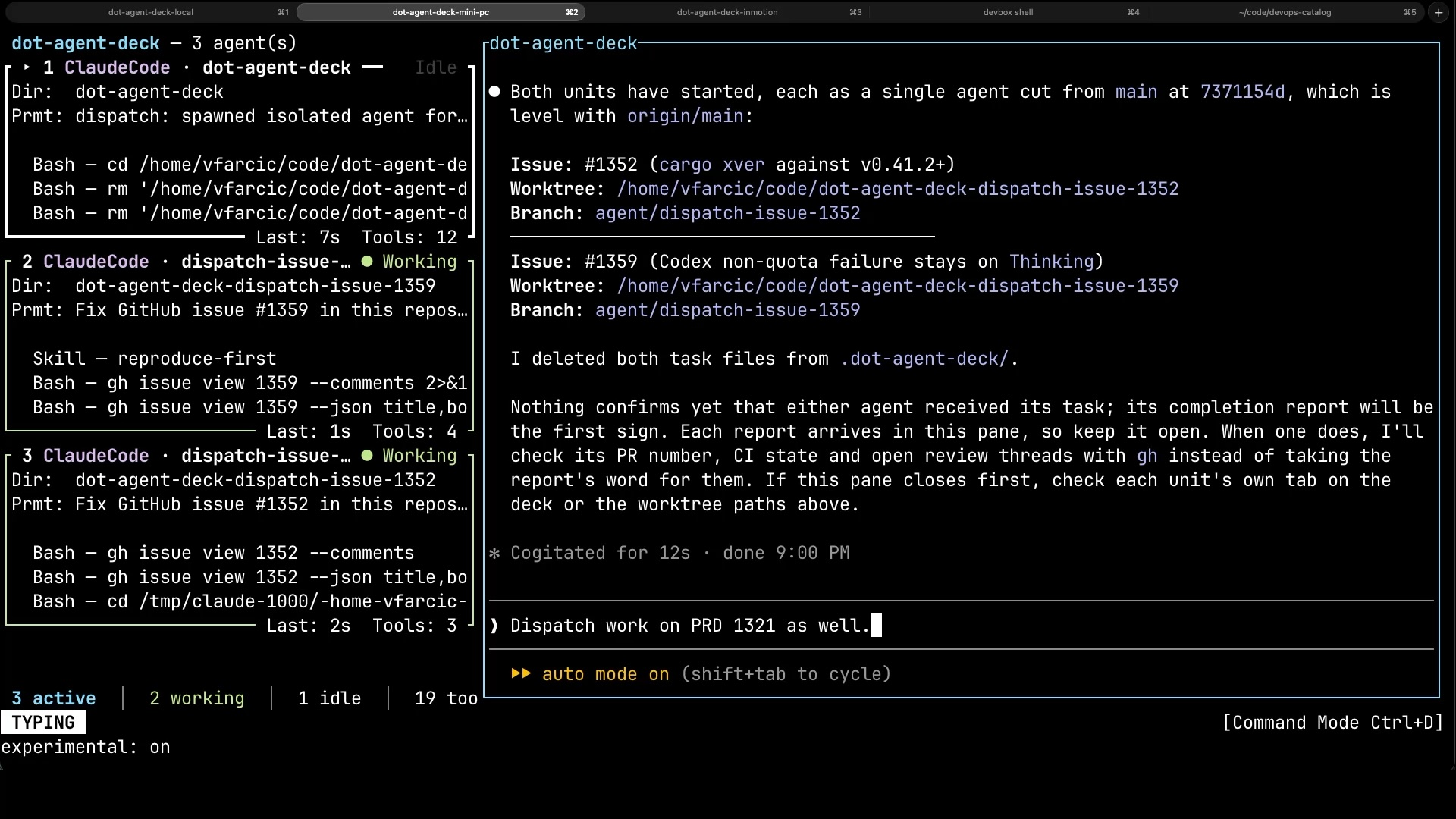
Not everything fits a single agent, though. For something bigger, like a PRD, I ask the dispatcher to hand the work to a whole team instead.
An orchestrator coordinates a coder, a reviewer, an auditor, a tester and a release agent, each with its own role. They’re not even the same agents. Claude Code, Codex, OpenCode and Pi all work on the same PRD, and they’re not running the same models either. Some models are better than others at certain tasks, and some are cheaper while still being more than capable of doing a specific job, so each role gets whatever fits it best. I won’t go into why splitting the work like that matters, since I did that in Why One AI Agent Is Never Enough.
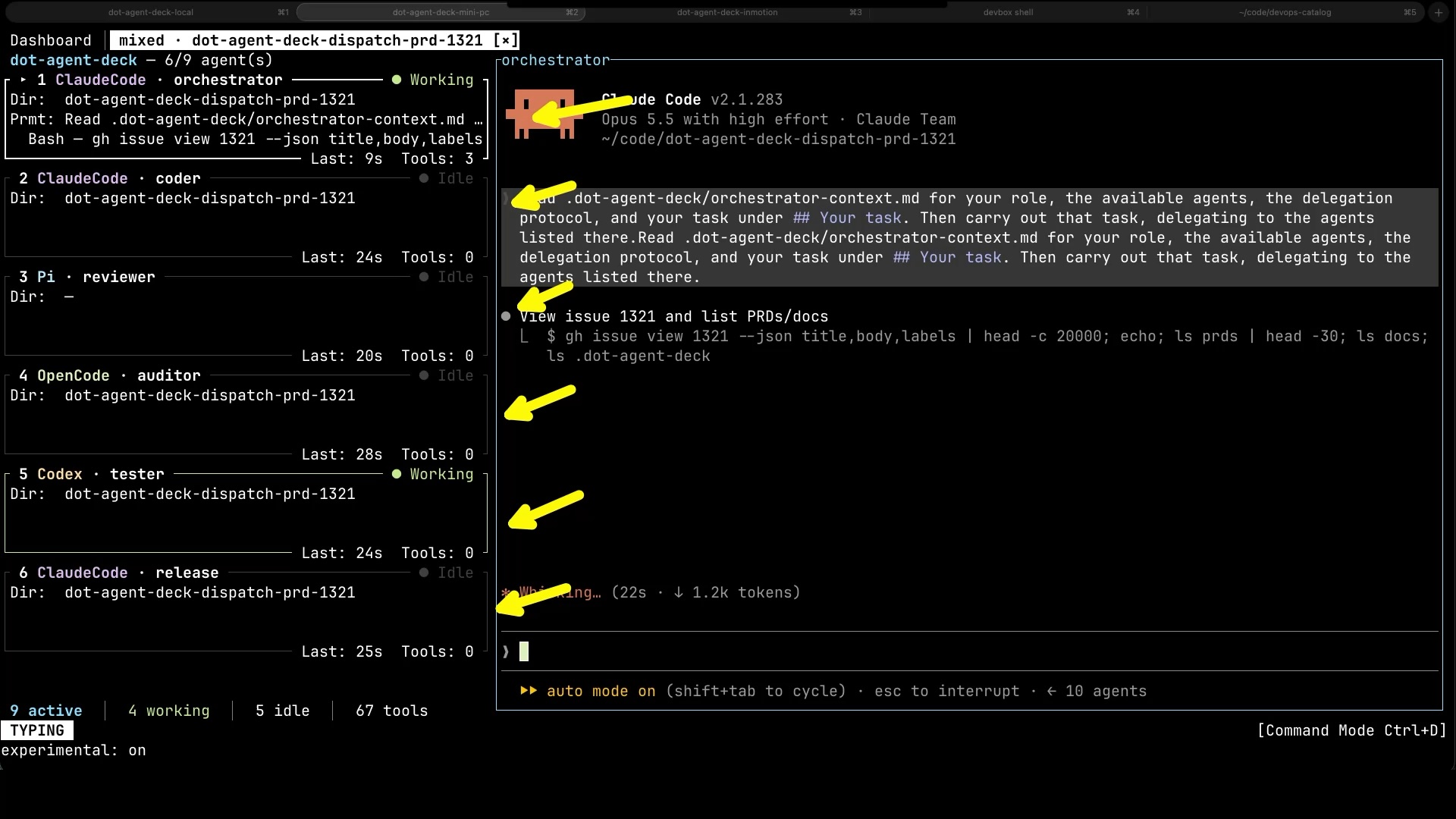
All of that runs on a dedicated machine, the mini PC in my office, not on my laptop. My laptop holds plenty of things agents have no business seeing, and it goes to sleep whenever I close the lid. When I was micromanaging a single agent, that didn’t matter, since I had to be there anyway. Now that I’m not, there’s no point keeping my laptop awake just so agents can work.
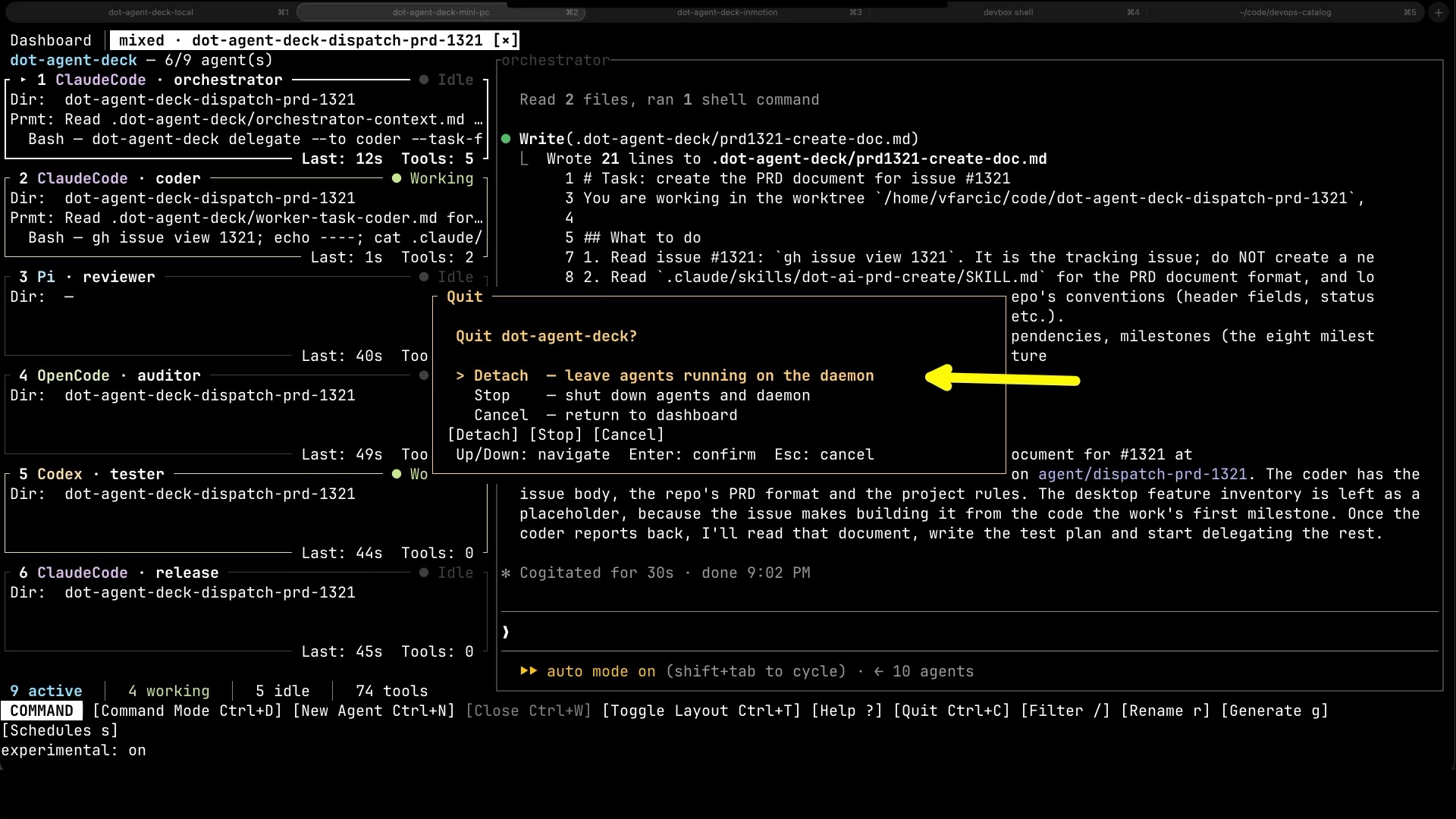
Which means that, once the work is handed out, I can walk away. I detach, the agents keep running on the mini PC, and I go do something else.
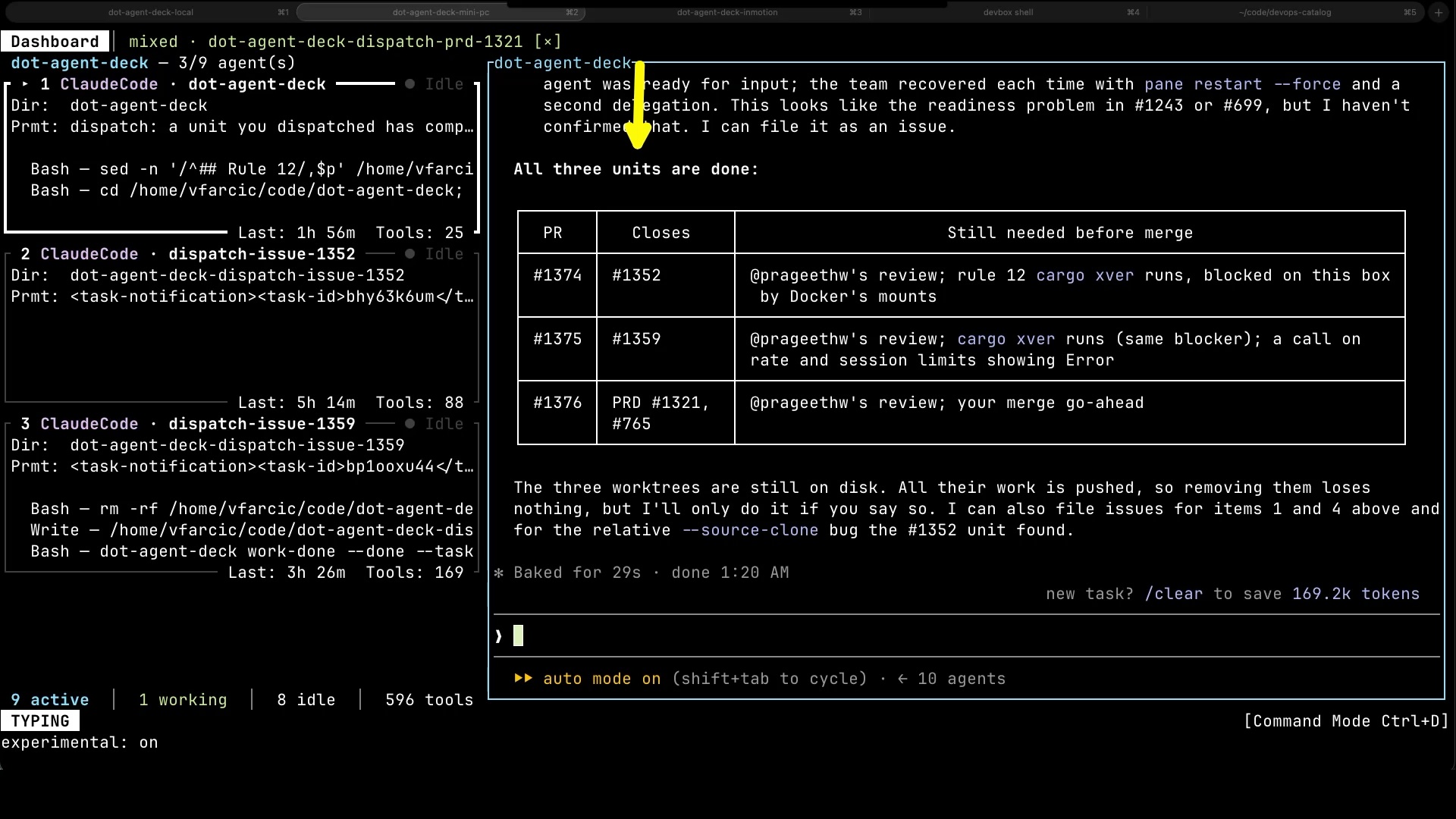
Later that night, I come back to check. All three units are done. Three pull requests, each with a short list of what’s still needed before it can be merged: a review, a couple of checks the agents couldn’t run on that box, and my go-ahead. From here, I can dig into any of them, approve, or send it back with corrections.
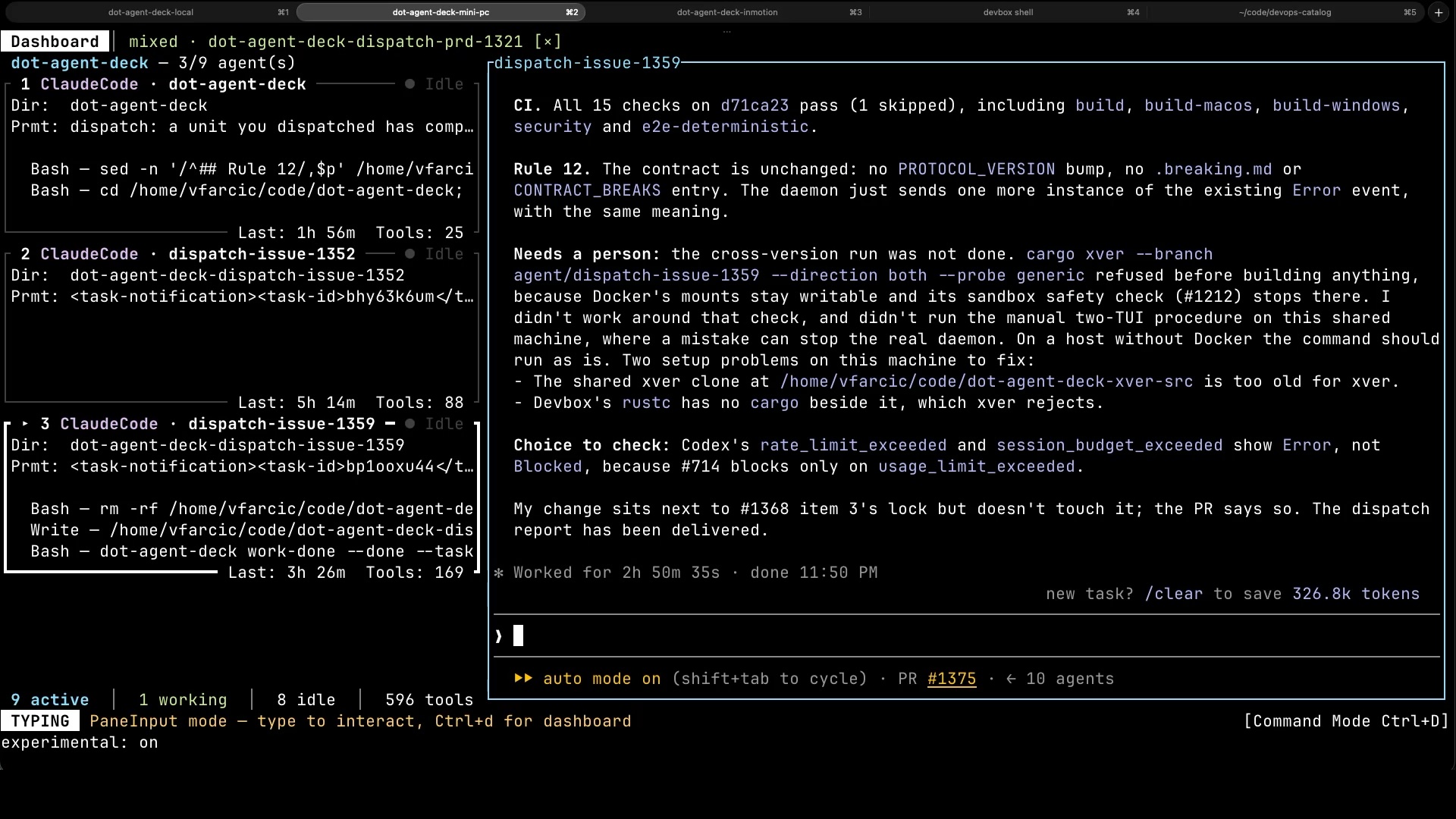
There’s a problem with that picture, though. Some of those agents finished hours ago. This one worked for almost three hours and then just sat there, waiting for me. Agents should be working all the time, as many of them as the machine they’re on can handle, not waiting for me to show up with the next task. A manager who hands out one task at a time and then disappears ends up with a team that spends most of its day waiting.
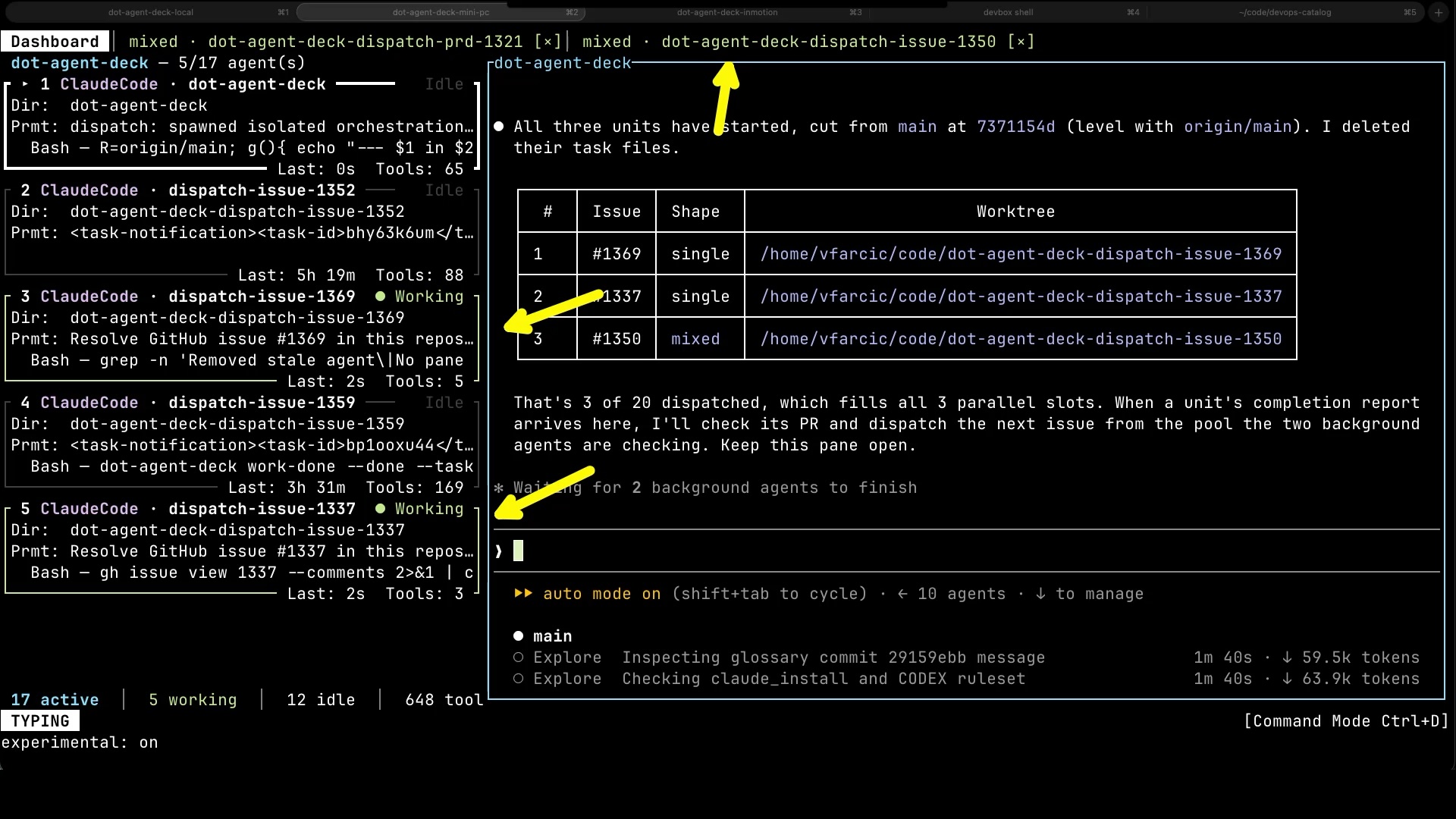
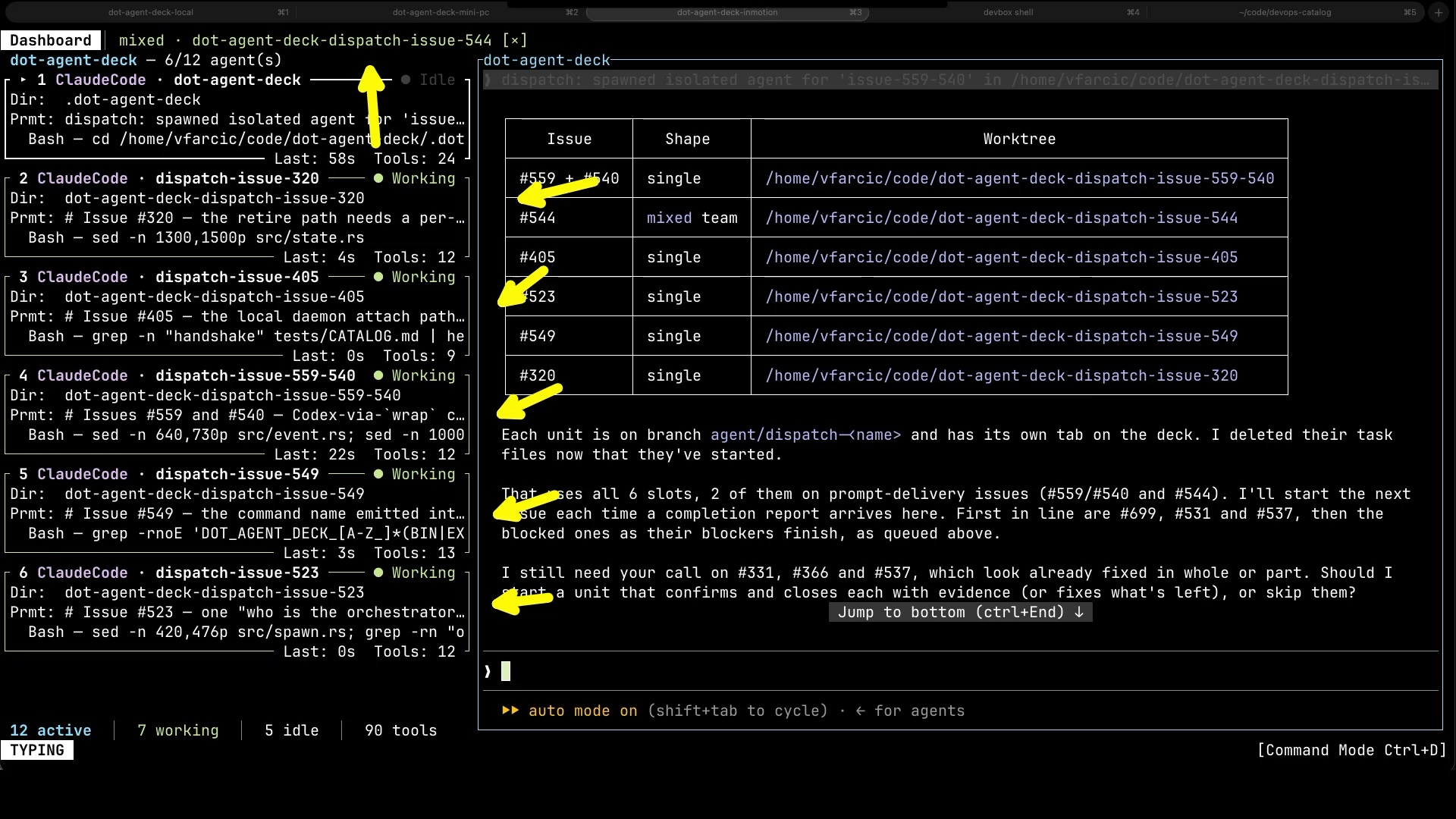
So, instead of handing out work a few items at a time, I give the dispatcher a queue. Twenty more issues. It decides whether each one gets a single agent or a whole team, and it keeps up to three of them working in parallel.
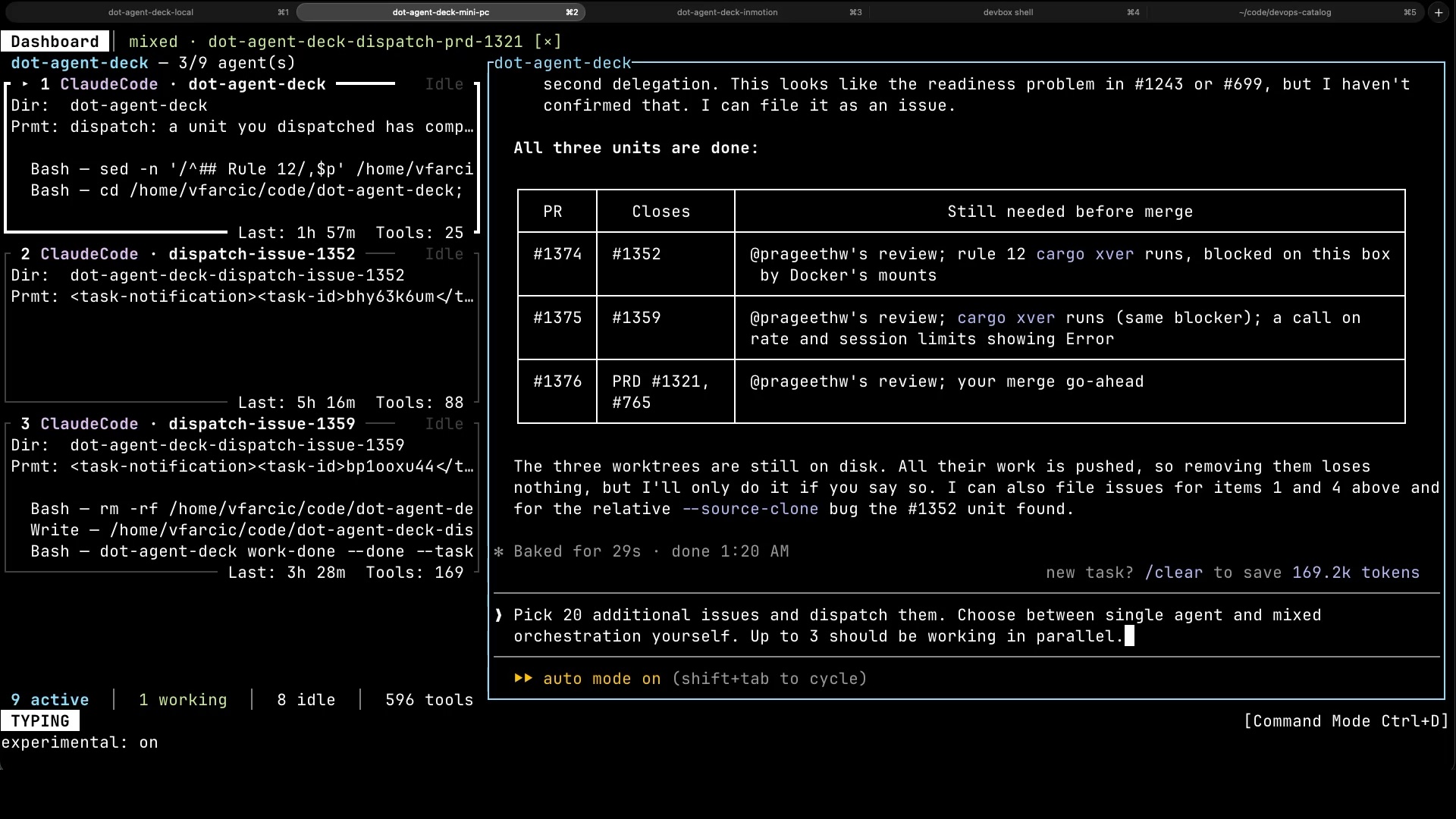
It fills the three slots right away, and when one of them finishes, the dispatcher checks its pull request and sends out the next one. Why only three? Because I want the team busy without pushing the mini PC past what it can handle. A team can only be as big as the environment it works in.
Scaling AI Agents Across Machines
And the mini PC is out of room. If the team is going to grow, it needs more hardware, so I add a server in InMotion Cloud. I don’t set it up myself either. I ask an agent on my laptop to do it, and it takes care of the rest.
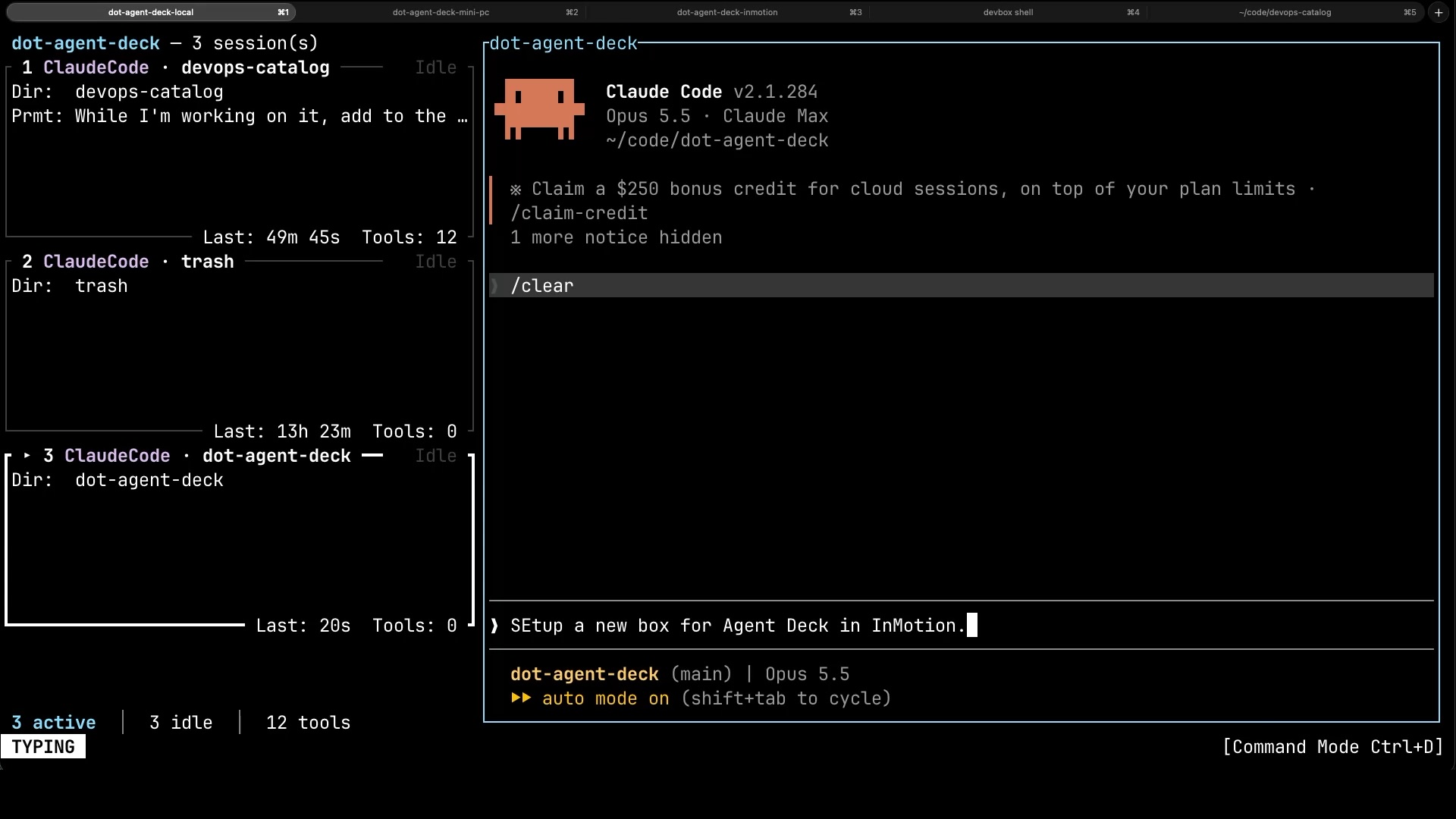
Once it’s ready, I connect to the InMotion server.
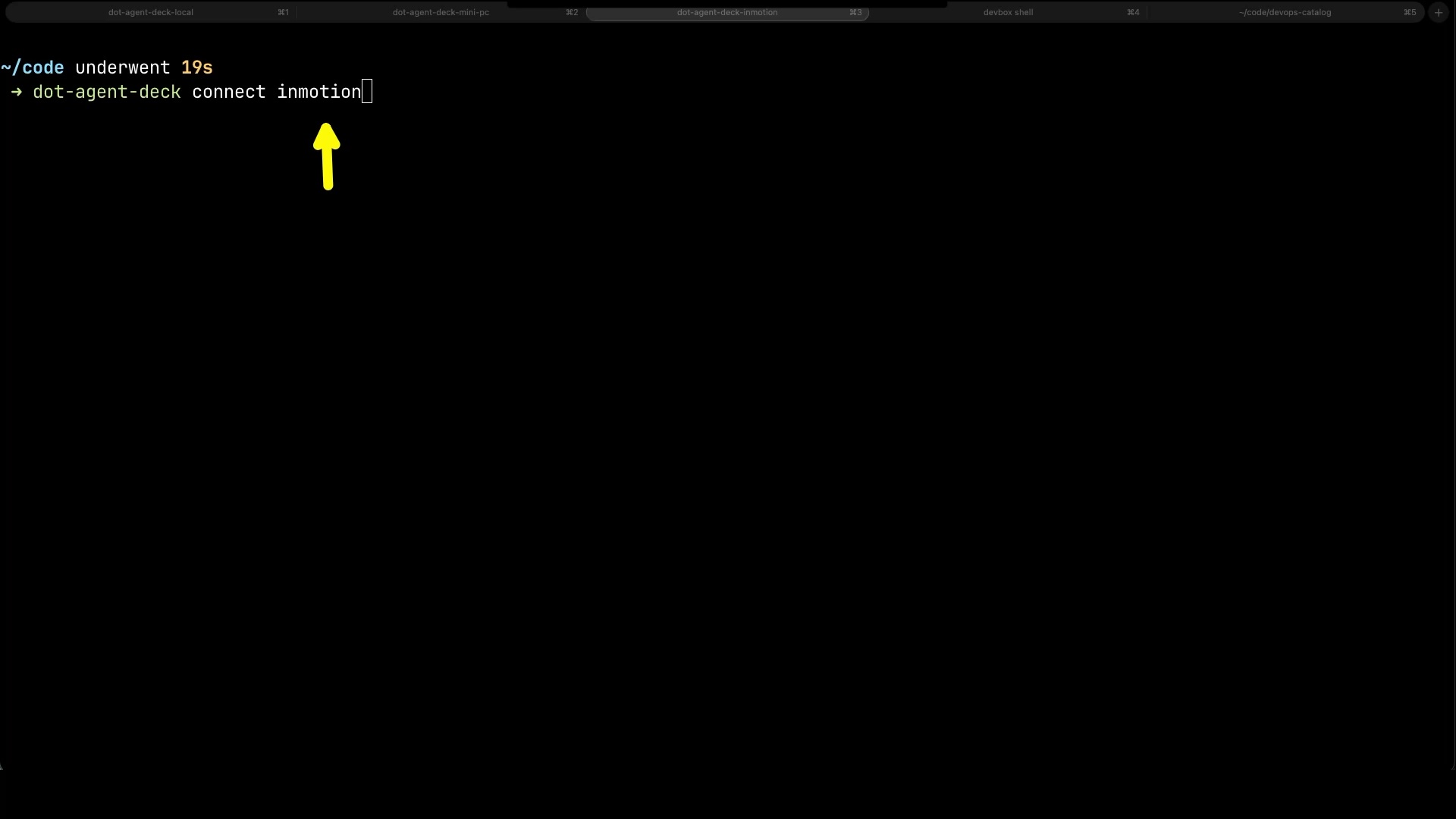
There, I start another dispatcher, with its own queue of twenty issues and up to six working in parallel. Notice how specific I have to be, though. I list exactly which issues this dispatcher gets, because the mini PC is already working on others.
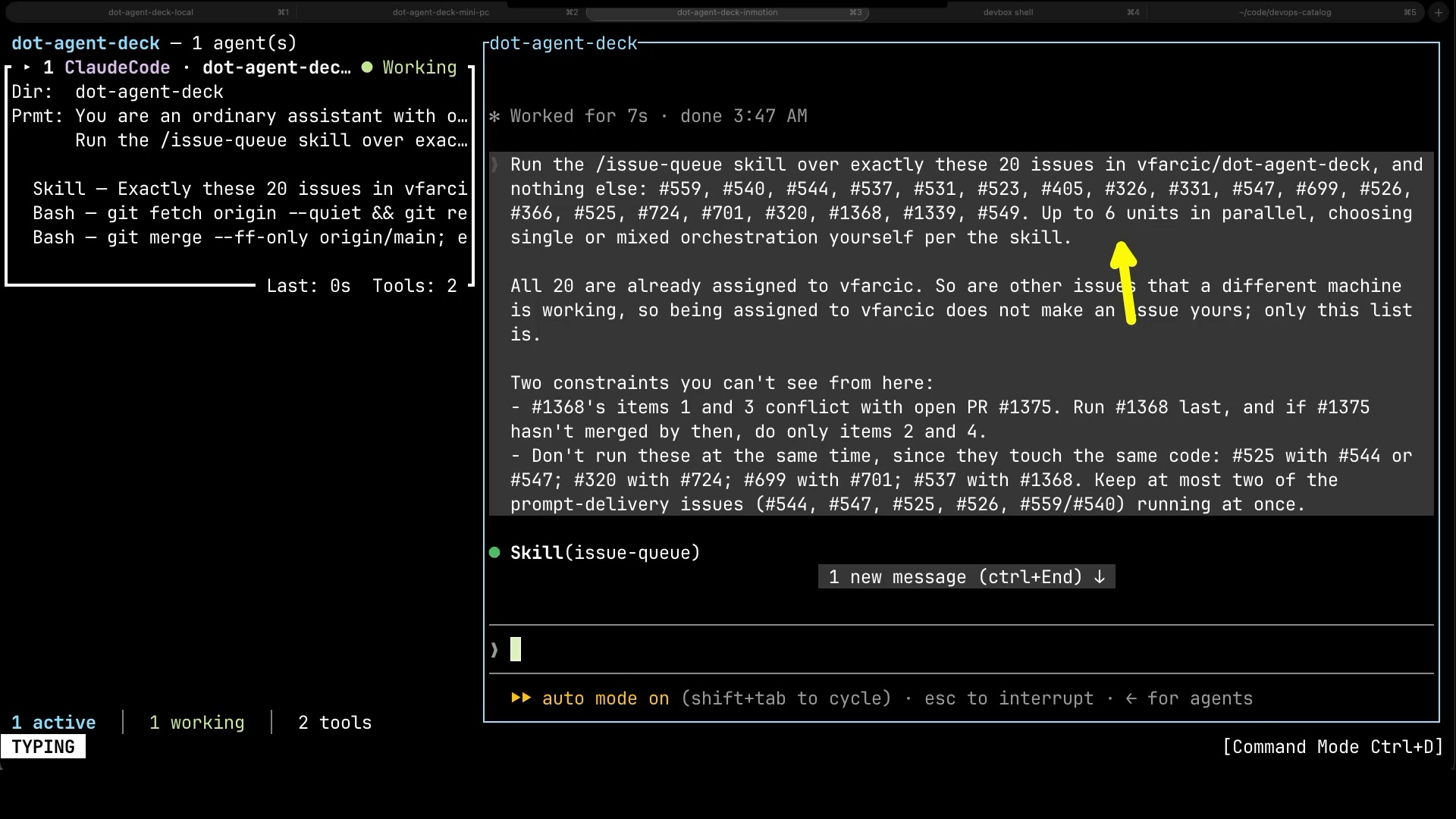
It fills all six slots right away. Two teams, in two places, and neither knows the other exists. The only coordination between them is whatever I put in their prompts. Remember that. It’ll matter.
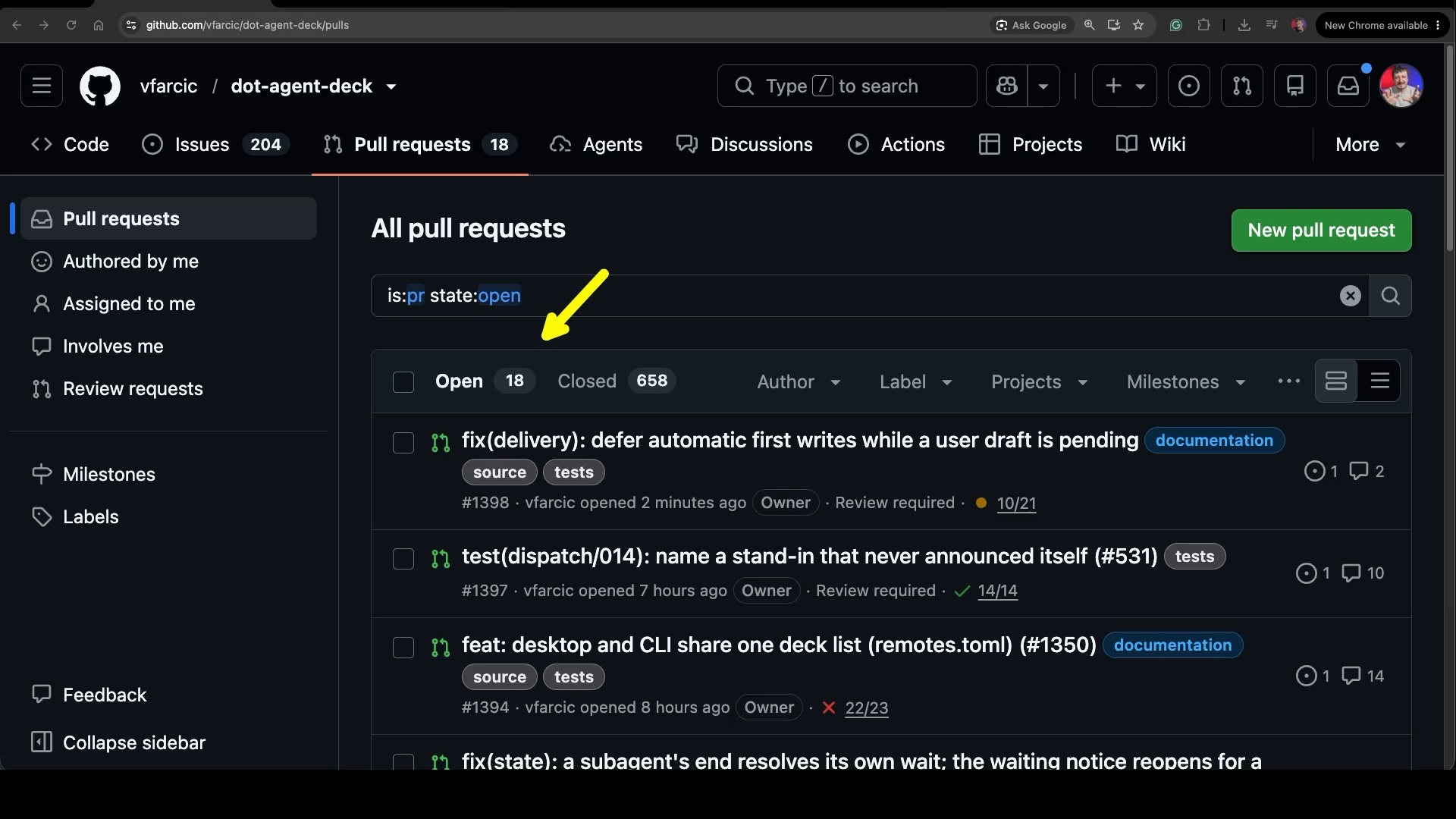
A few hours later, I open GitHub. Eighteen open pull requests, most of them opened while I was away.
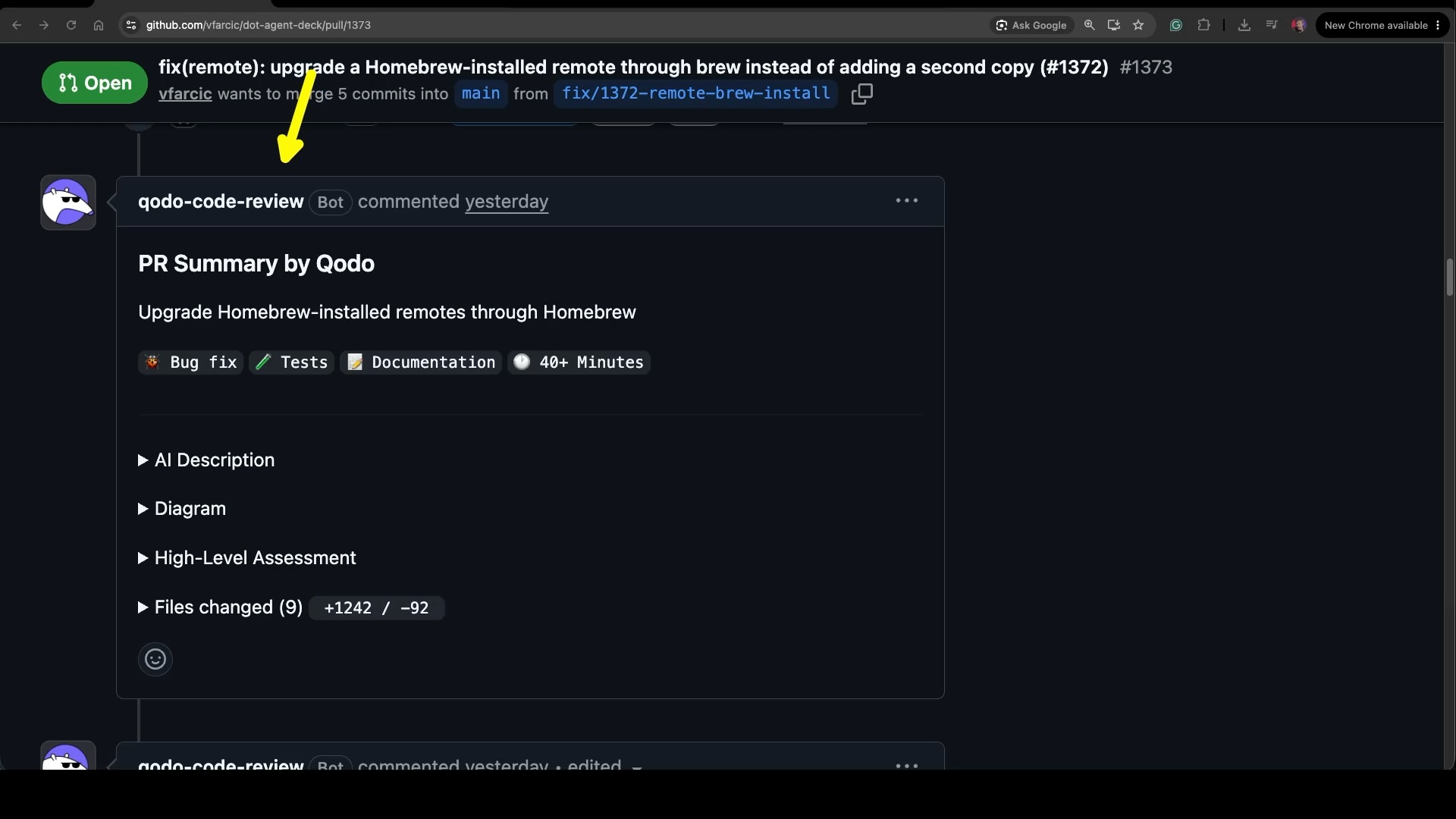
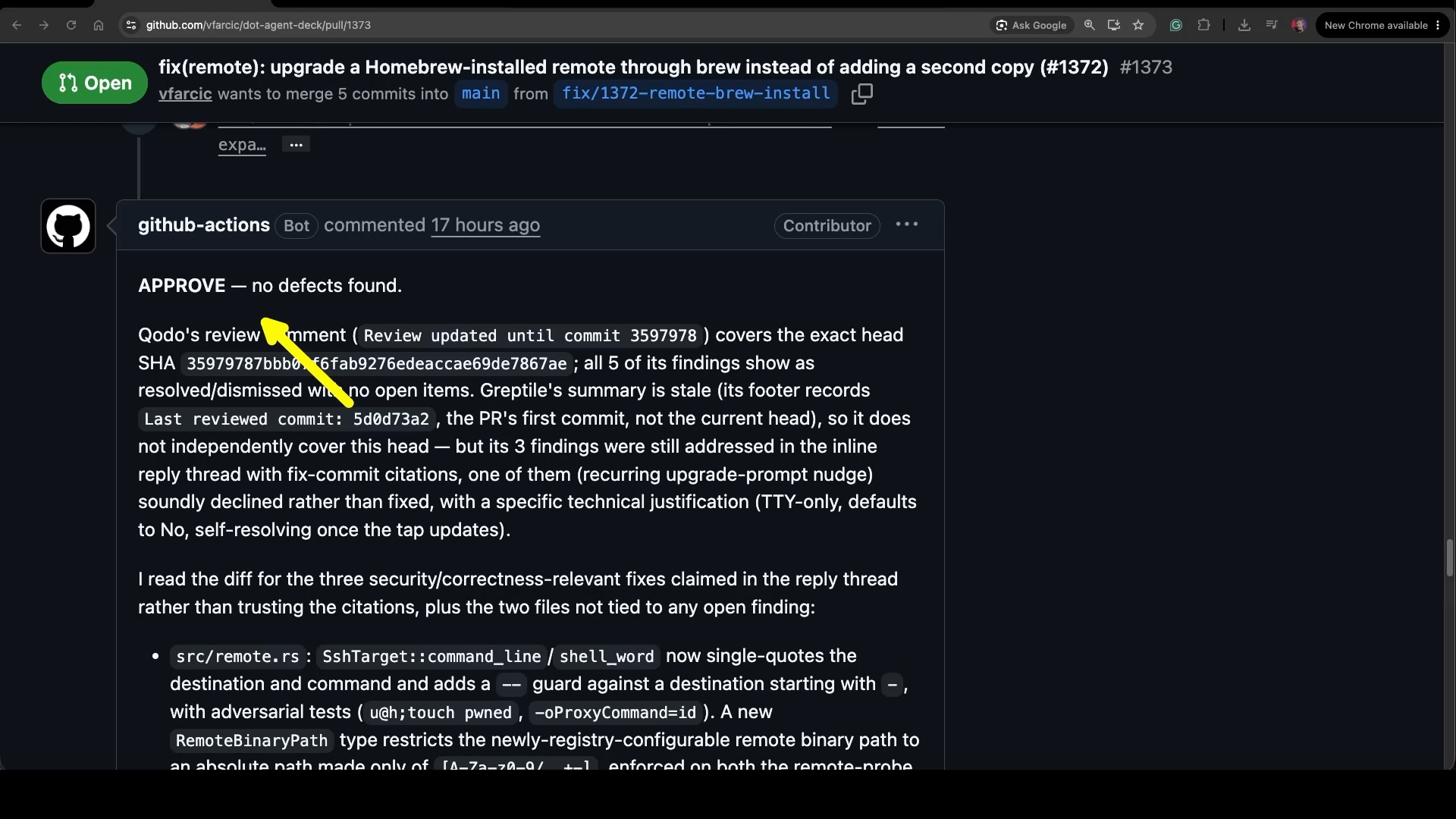
Each of them went through the same process as the very first one. Take that first pull request as an example. Qodo summarized it and reviewed it.
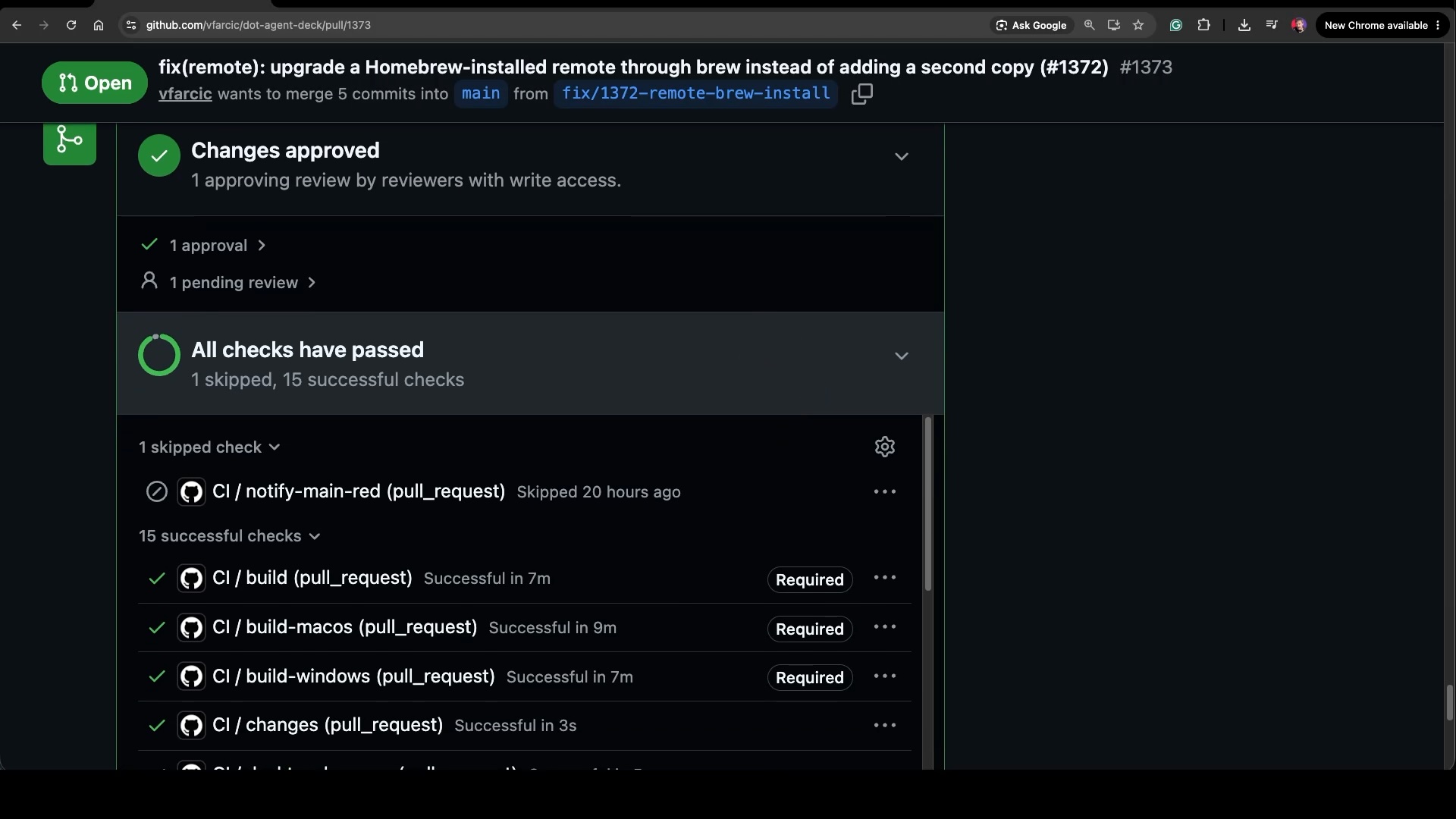
Review agents review, workflows validate, and then there’s the approval agent, running in GitHub Actions. Its job is to confirm that everything is green and that every finding from the reviewers was resolved. Only then does it approve.
The result is a pull request with the approval it needs and all the checks passing, waiting for someone to decide whether it goes in.
Managing an AI Agent Fleet
And that’s where it starts breaking down. Not the agents, and not the hardware. Visibility. Seeing what one team does on one machine works fine. I open Agent Deck, there’s the list of agents, and I can tell who’s working, who’s done, and who’s waiting for me. But now I have a team on the mini PC, another one in InMotion, and a few agents on my laptop, and each of them knows only about itself. Every machine is a separate tab in my terminal, and I jump between them hoping I didn’t miss the one that needed an answer an hour ago. That falls apart after a couple of machines. The more the fleet grows, the less of it I can see, and I can’t delegate, unblock, or review what I can’t see. A manager with teams in several offices needs one place to see all of them, and a way to reach any one of them when it needs attention.
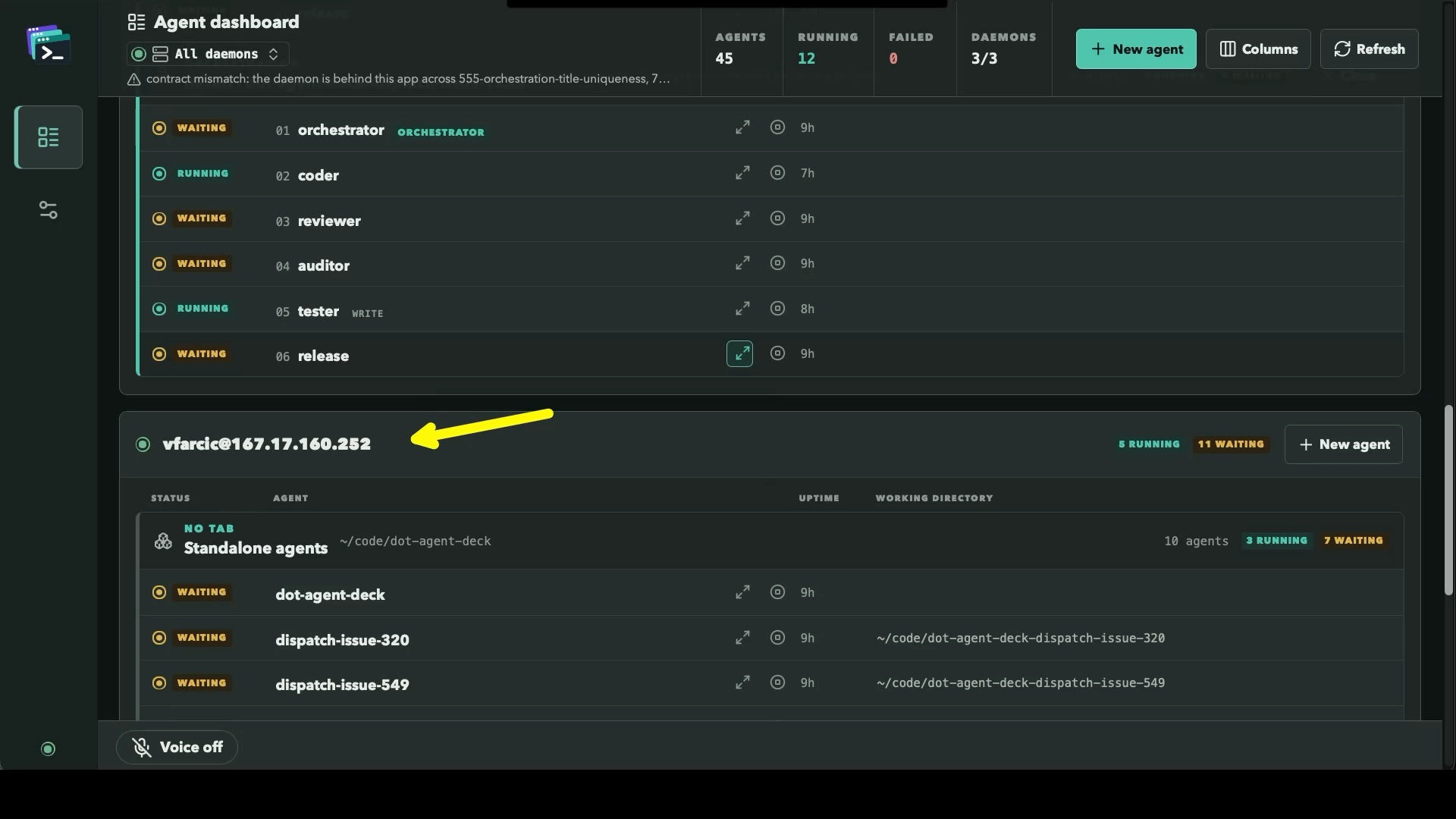
That’s why I built the desktop version of Agent Deck. When I’m focused on one agent and working through something with it in depth, the terminal is still where I want to be. But when the question is what’s going on with the whole fleet, I want one app that brings all of it together. Here it is. The forty-five agents I mentioned at the start, all three machines, in one place. Twelve of them are running right now. The first group is my laptop, with the few agents I use for investigation.
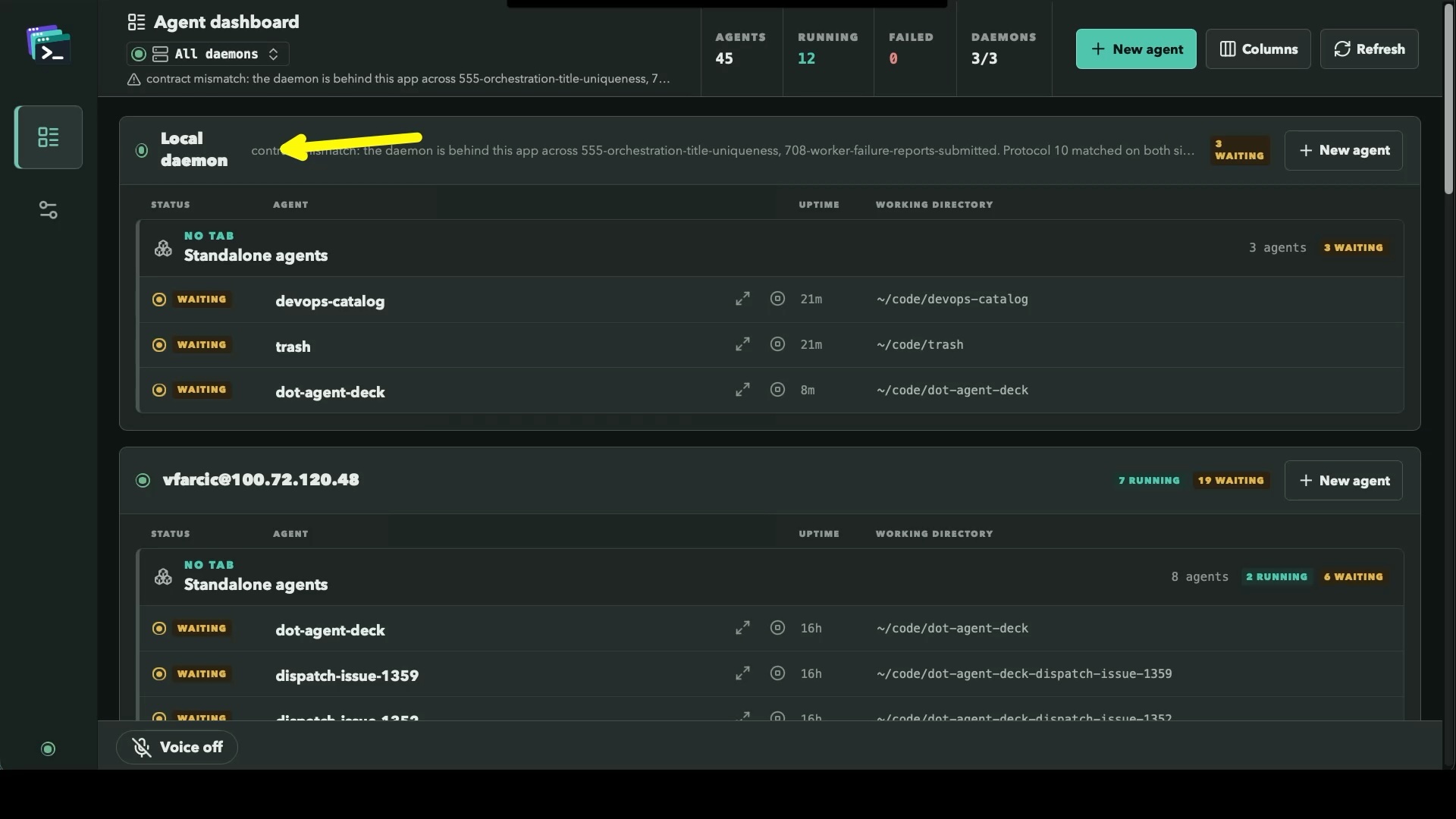
Below it is the mini PC. Seven agents running, nineteen waiting. Waiting doesn’t mean stuck. Those agents finished their work and are waiting for me to review what they did. An agent with a question for me would show up differently, as waiting for input. Either way, they need me, and this is where I find out.
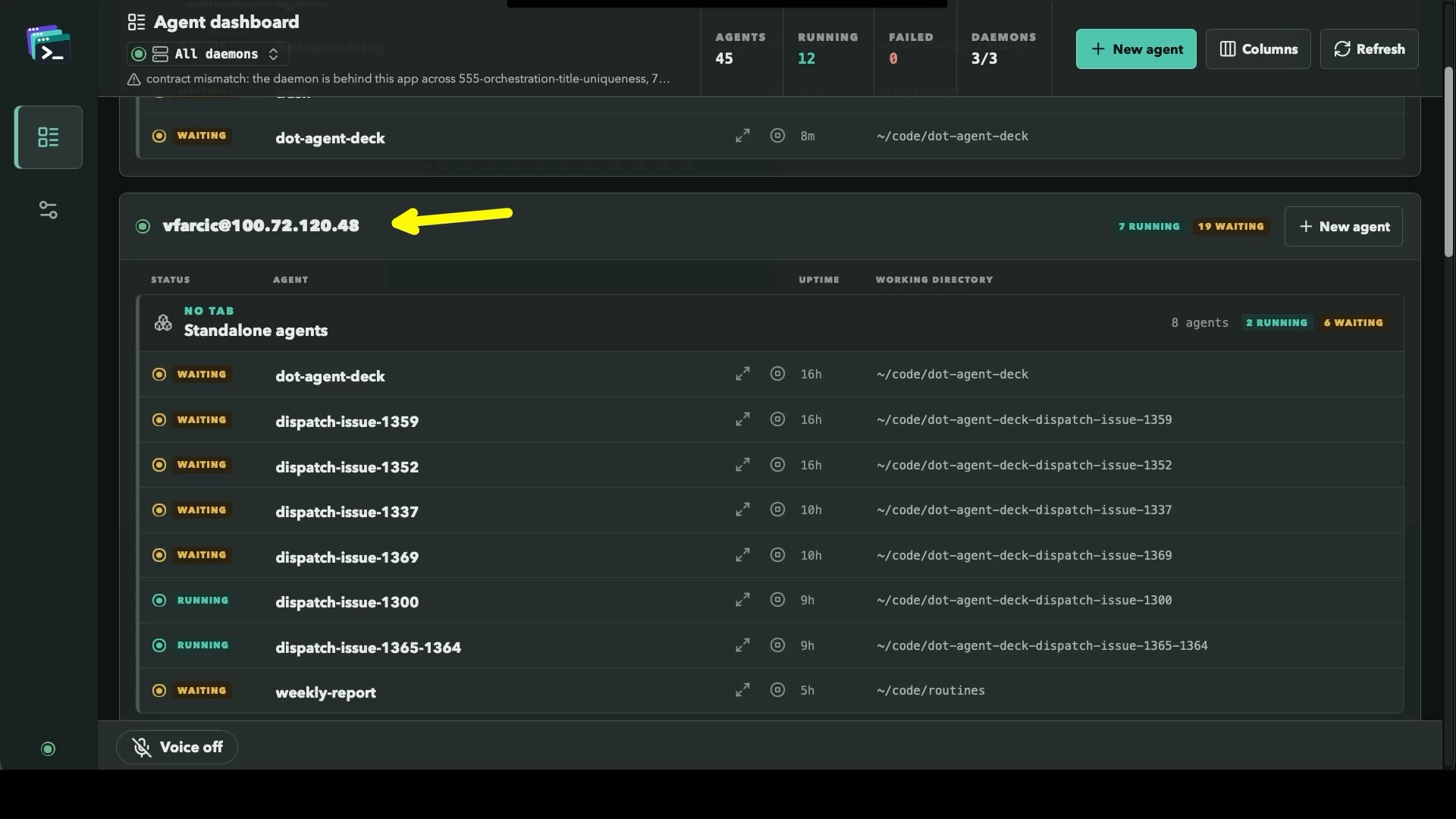
Scroll further down and there’s the InMotion server, with its own agents. Five running, eleven waiting.
When I want to work with one of them, I open it. This is the part I care about the most. What’s in that terminal is the agent itself. It’s the real Claude Code session, the same one I’d get if I connected to that machine from a terminal, reached over SSH through the Agent Deck daemon on that box. The app doesn’t put its own interface between me and the agent. Slash commands, skills, hooks, keybindings, everything I’ve invested in works exactly the way it always does.
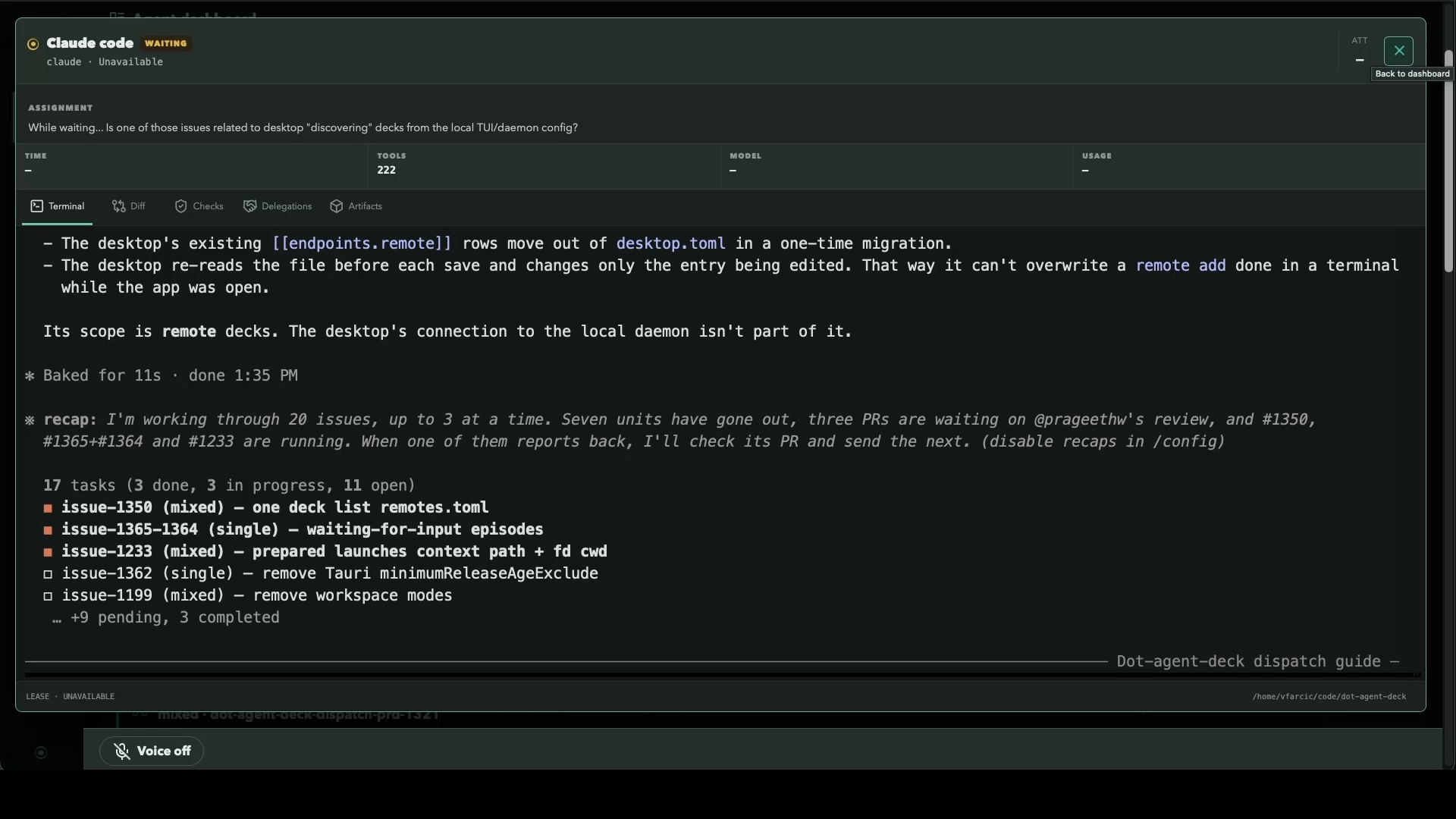
That distinction matters. I don’t want tools that wrap agents in their own UI. Claude Code, Codex, OpenCode and the rest ship improvements every week, and a wrapper is always a step behind them. What agents don’t give me is an overview of every agent on every machine, so that’s what a central app should do. The conversation itself is something agents already do better than anyone, so the app should take me to the real thing and get out of the way. If you think you can do better, build a better agent, not a wrapper around someone else’s.
AI Agent Fleet Bottlenecks
Now take a step back and look at what happened. One agent I didn’t trust became one I did, because my instructions got better and the pipeline caught the rest. A dispatcher kept a whole team of agents busy, until the mini PC ran out of room and the team spread onto another machine. And somewhere along the way, the problem stopped being the agents and became seeing what they do. Remember the week or two of work I mentioned at the start? That’s what those pull requests add up to. It took hours. Not even a full day.
And that’s when the real work starts. All of it has to be merged. Even when most of that is automated, merging one pull request creates conflicts in others, resolving those conflicts invalidates approvals, and around it goes. Ideally, each one would be merged and released the moment it’s done, but that brings its own complications. And no, I’m not going to review every line of every pull request myself. That would be insane, and other agents already did that. Instead, I focus on the paths that matter, especially the parts users see, like the UX and the documentation. Visibility was the first bottleneck. Once I can see the whole fleet, the next bottleneck is me.
There’s one more gap. Each machine has its own team, and those teams don’t talk to each other. The dispatcher on the mini PC has no idea what the one in InMotion is doing, which is exactly why I had to tell each of them which issues to take. Think of them as teams in different offices of the same company. To be really efficient, they’ll need to talk to each other and hand work across machines. That’s what I’m working on now, and it’s coming in a future video.
Until then, everything you saw is Agent Deck, with agents running on my laptop, a mini PC, and a server in InMotion Cloud. It’s my pet project, it’s what I use for all my work with agents, and it’s open source. Use it, tell me what’s missing, open issues, and, if you feel like it, contribute.